
MrMagic
-
Posts
207 -
Joined
-
Last visited
-
Days Won
1
Everything posted by MrMagic
-
Network cabinet: ideas?
MrMagic replied to ToughButterCup's topic in Networks, AV, Security & Automation
Hardwired - Router - Switch 1 -- Wireless AP 1 -- Wireless AP 2 -- RPi 1 - VoIP PBX -- RPi 2 - Home Assistant -- CCTV NVR -- Honeywell Evohome Gateway -- CCTV Camera 1 (PoE) -- VoIP Phone - Switch 2 -- Wireless AP 3 -- Security System -- NAS -- VMWare Server -- Laptop -- CCTV Camera 2 (PoE) -- CCTV Camera 3 (PoE) -- CCTV Camera 4 (PoE) Wireless... too many devices to count! -
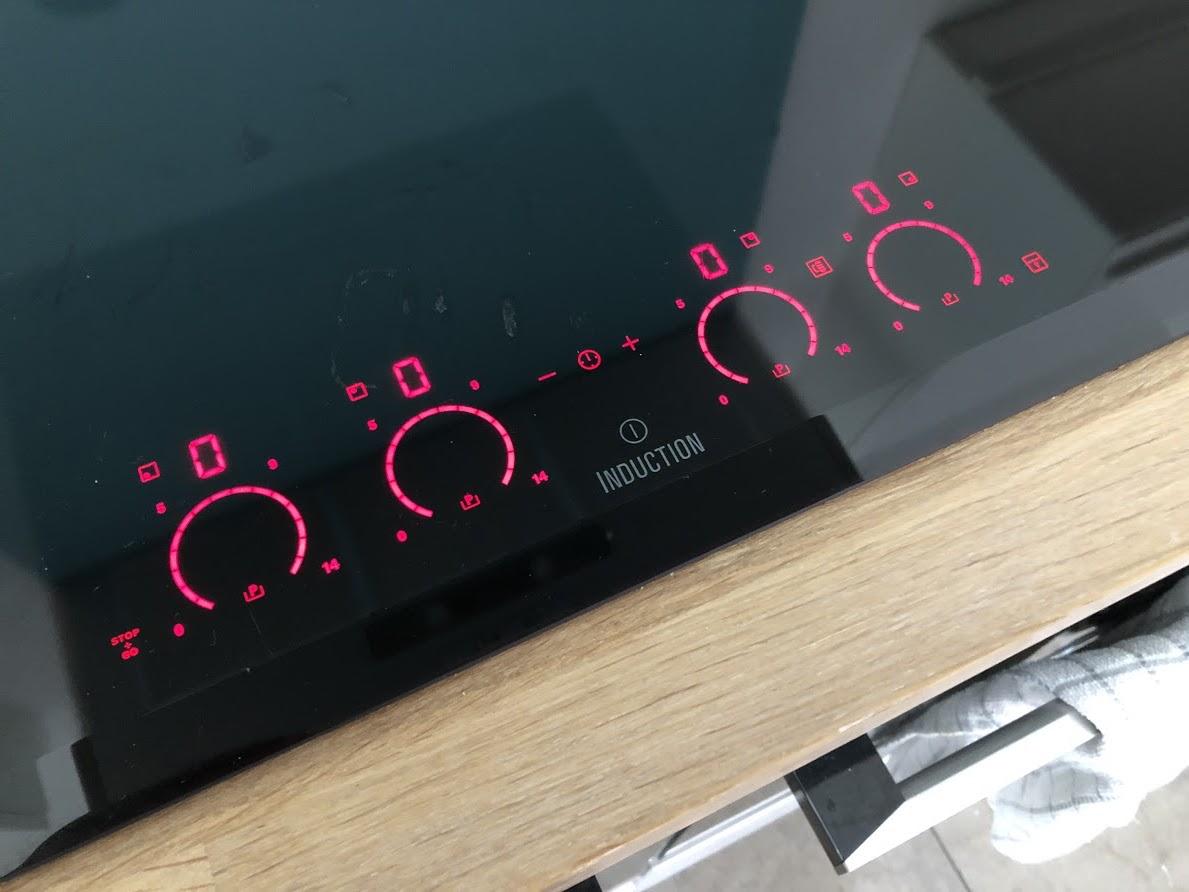
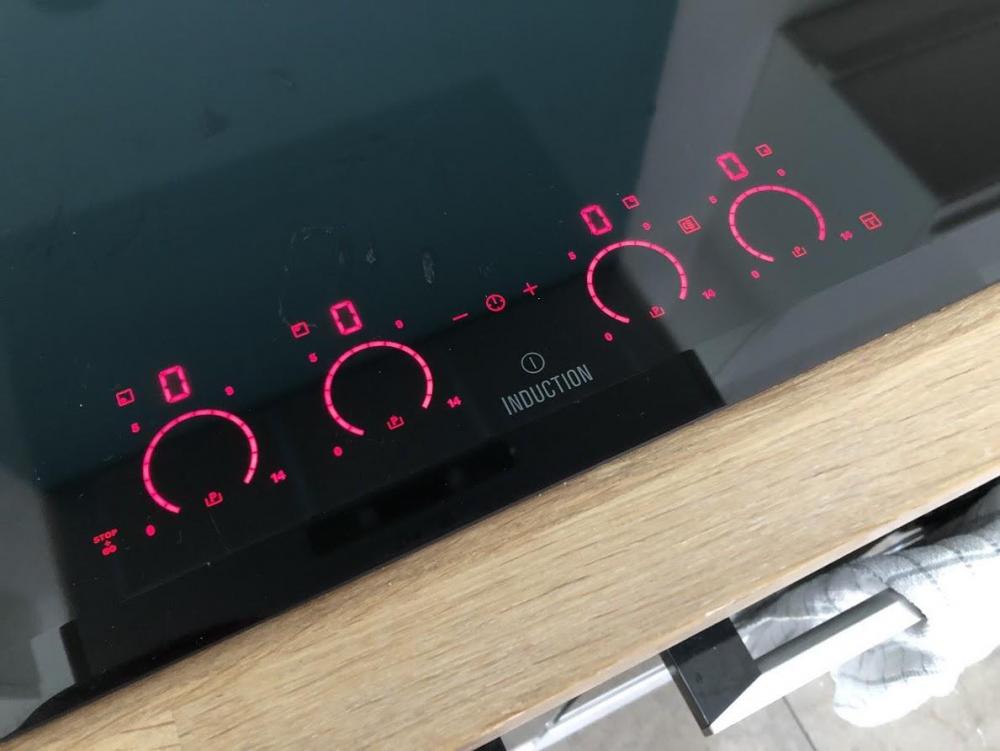
We've got an Electrolux induction hob - absolutely love it. We don't seem to get any of the on/off that you're talking about.... simmers perfectly (it's obviously pulsing somehow but there no noticable changes to the pan/boiling/simmering etc)... it maintains a consistent temperature. For us the key decision points were - Size - wanted a wide hob Controls - we wanted individual controls for each 'ring', quite a lot of them seem to have a single control and a selector to choose the 'ring' which when something is boiling over is a PITA Power - Ours can do all the power boiling etc, think it's rated at about 7Kw all in Sadly, no longer made - https://www.appliancesdirect.co.uk/p/ehl8740fok/electrolux-ehl8740fok-0-induction-hob-hob Controls when turned on...
-
At the moment it’s got 3 CT clamps - one for each array and then one on the main tails so I can get the ‘live’ generation, house consumption and import export values. Currently capturing them every 60 seconds. With the pulses I guess you have to guesstimate the power draw based on pulse frequency and time lapsed? I know the export meter also has the IR interface as well but not played with that.
-
2 x standard inverters - essentially 2 separate systems which are then combined on the AC side and then fed via the export meter and main isolator. 3.9kWp system (13 x 300w panels) but realistically its two smaller systems and never gets anywhere near that peak based on shading and orientation. Export limitation is also in place but never kicks in.
-
Wagner are very amenable chaps - speak to 'Mark the spark', I'm sure he can suggest some options for you. His tales of much larger PV + battery installs will make you jealous!
-
The above is wired in 4mm2
-
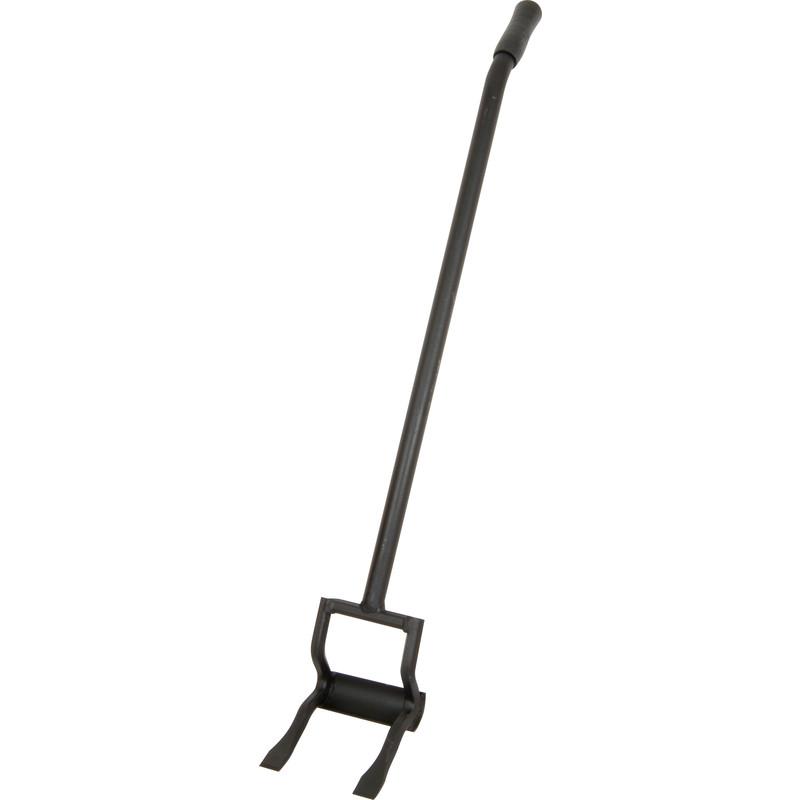
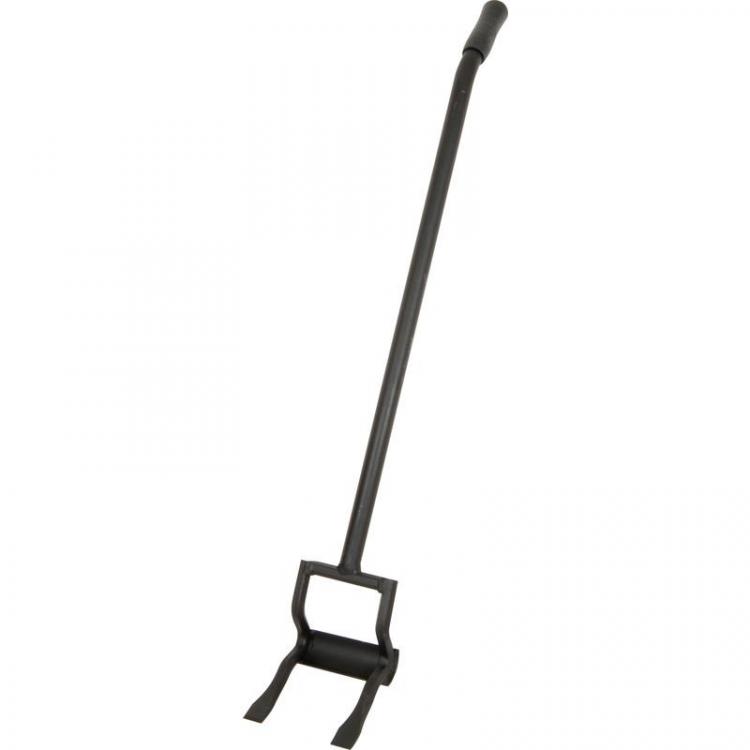
For house renovations - the BEST floorboard lifter by far, tons of leverage. Two heads better than one etc etc. Can sit the rounded bit on the joist, one head either side of where its nailed and they come up so easy. Simple solution for simple folk
-
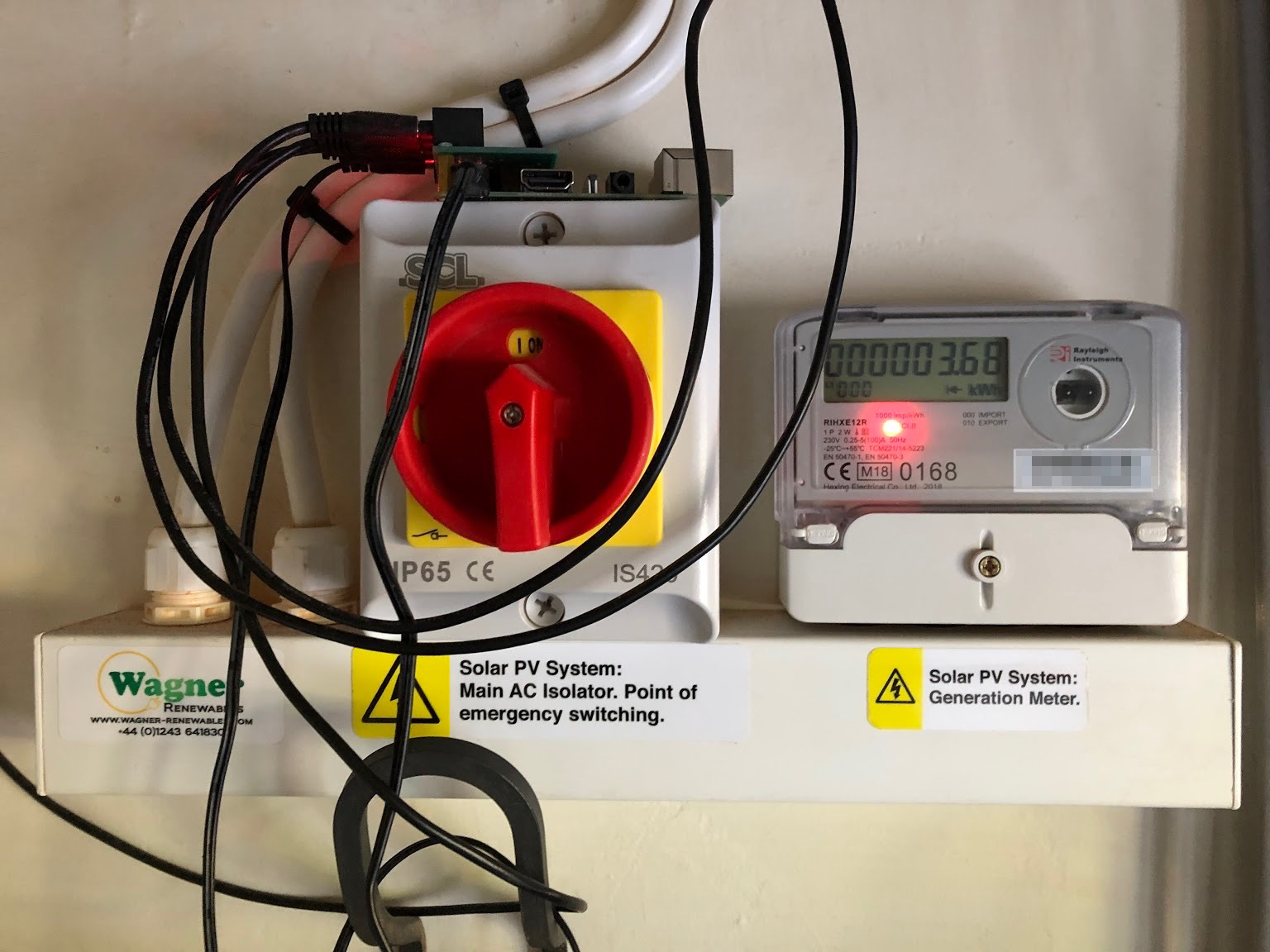
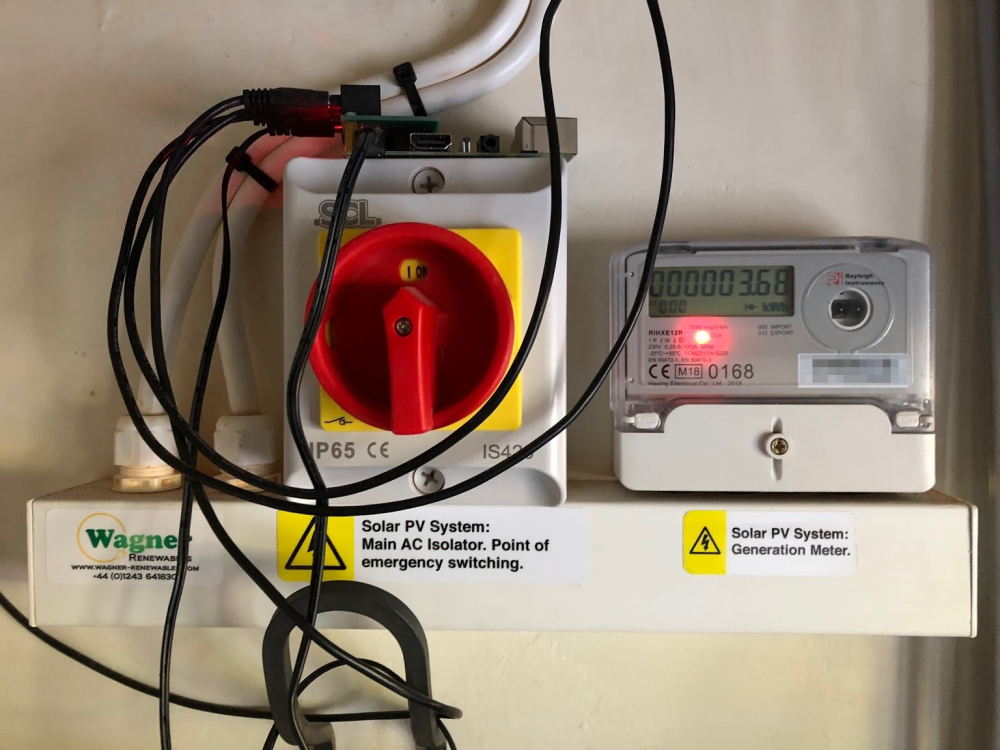
Happy Wagner customer here - the install is very tidy IMO. Please excuse the RPi balanced on top with its spiders web of wires!
-
A bit monochrome for my liking but it was a nice looking place overall. A lot of concrete but I guess that would be partially offset by the significant mounds of soil piled up against it. Theres a family converting an old underground water reservoir & nuclear bunker near me - they said its very stable temperature wise so minimal heating is going to be required.
-
Agreed it can be hit and miss with TP-Link - i'm happy with their switches and powerline adapters, not had much success with their routers and wireless kit. FWIW - I'm currently using (& happy with) - Switches - Juniper, Netgear, TP-Link Wireless - Ubiquity Routers (standalone/SOHO) - Draytek Router/Wireless Combo (for most homes) - Netgear, Draytek
-
For most home users they are all much of a muchness. If I had to choose a basic brand for home use I'd go with either Netgear or TP-Link. Reasonably affordable, Plug and play, Simples. One thing that concerns me in the above - I'm assuming you are sending faxes and using the PC modem via the VoIP connection? or over a traditional phone line? I've had lots of problems with fax-over-voip in the past - have you tested this configuration?
-
Whats everyones plans when these fittings die? particularly if they have a proprietary cut out size. Don't get me wrong, they look very sleek and an all-in-one fitting seems like a good idea... just thinking this Vs. a traditional F/R GU10 can + replaceable LED bulb... I guess you just chop it off and bin it?
-
I'd keep as much of the pipework internal as possible to minimise risk of freezing etc. Come through the wall in MDPE, stopcock, then Hep2o Provided you follow the instructions you can safely use brass compression fittings with Hep2o, best with copper olives. I used a 20mm -> 15mm standard brass compression fitting to go from MDPE -> Hep2o. JG Speedfit also make a dedicated fitting for this but as you say, the 'recommendation' is to not mix the brands - but I expect it would probably work... best let one of the more learned folks advise there.
-
If you can cope with buying the loft hatch and ladder separate then check out https://www.jupiterblue.co.uk/ for hatches. They show U value etc. Got one in my non-passiv-haus. Seems to seal and insulate well. EDIT - just noticed that Fakro one is U0.51 whereas the Jupiter one goes as low as 0.15! It’s only a tiny area tho so not much of a big deal I guess
-
Yarp. The usual suspects are covered - NICEIC, NAPIT, Elecsa etc
-
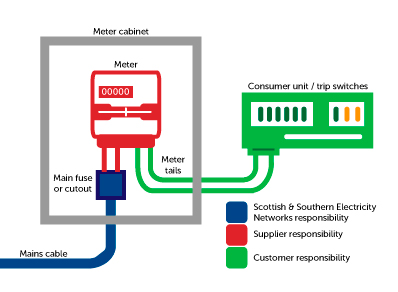
Just to help anyone looking at this topic in the future... this picture helps with defining who is responsible for what... Obviously replace SSE with your local leccy network operator (DNO). Supplier in the above diagram refers to the company you actually pay for your electric. When I had a meter swap recently they upgraded tails between the cutout and meter. Tails on the meter -> CU had already been done by the spark. With regards to seal removal and resealing, I expect it varies by DNO - in my area (SSE), sparkies are actually allowed to pull the main fuse to work safely.. but they have to inform SSE and they also have to had 'signed out' 5 serial numbered temporary seals from the local SSE depot.
-
@ProDave Mine does exactly the same - it's either rEd permanently on when exporting or cycling when not exporting (which I guess is a warning to a meter reader that 'rEd' has happened at some point). This is on a brand new meter that was fitted as I advised my energy supplier that my old meter was spinning backwards.... so I think this behaviour is 'correct'. If in doubt contact your energy supplier.
-
Anyone fitted a pre-charged aircon unit?
MrMagic replied to Jeremy Harris's topic in Air Source Heat Pumps (ASHP)
If you do end up with a condensate drain in a place with no natural route/fall to outside you can always use condensate pumps. We have a few of these.. a bit noisy when they kick in but they do the trick. https://www.aspenpumps.com/mini-pumps - I think we have the 'lime' ones that hide in the corner of the A/C trunking. This was mainly due to it being a retrofit. -
Wireless Internet connection
MrMagic replied to lizzie's topic in General Self Build & DIY Discussion
So far - - analysed logs from HomeHub, strange disconnects seen on link between HH and Netgear switch - iPhone is seen bouncing about on WiFi - No obvious line side disconnections iMac changed to be cabled direct to router and WiFi turned off - behaviour still sluggish so looking towards either a faulty router or line side fault potentially. BT out tomorrow. -
Wireless Internet connection
MrMagic replied to lizzie's topic in General Self Build & DIY Discussion
One simple quick test to narrow down areas of concern - have you noticed an increase in background noise on your landline? i.e. crackling, popping etc. A quick way to test for this is to do a quiet line test - dial 17070 and choose option 2 for 'quiet line test' - it'll go silent but keep the call active... listen for a minute or so for anything crackly or pops. Once done, hang up. This could be intermittent. Second thing - if you could login to the BT Home Hub - somewhere there should be a log page that you can download and potentially share with us. On the Home Hub 6 this is under Advanced Settings -> Technical Log -> Event Log. There should be a button to save it (I think!). Would be good to take a look through that to see whats going on. Probably best to PM that to one of us and/or have a check through it before sharing as it may contain your username and/or land line phone number. HTH. R. -
Wireless Internet connection
MrMagic replied to lizzie's topic in General Self Build & DIY Discussion
I've recently set this one up for the inlaws, pretty much half the price of the Google system for a 3 pack... https://shop.bt.com/products/bt-whole-home-wi-fi-088269-CDXH.html Even though it's sold by BT, it's independent of the provider so can be used in the future if you decide to switch. Set up was a doddle, plug one in the back of your main router and then stick one at either end of the house(ish) to get better coverage. the main thing with this one (and Google, Ubiq, etc) is to make sure you join the new wireless network, not your old BT router one. Usually best to 'forget' the old BT network in your phone/iPad/laptop settings etc. -
Advice on Choosing Material - AluClad / Timber / uPVC?
MrMagic replied to soapstar's topic in Windows & Glazing
If you're on the coast - uPVC all the way. I would also recommend shopping about and talking to various suppliers - there are some really nice uPVC profiles available now which look almost identical to alu-clad/timber. These for example look really nice (IMO) - https://www.kjmgroup.co.uk/products/windows/residence-9- If you pay peanuts, of course, you will get the bog standard, 'safe style' ugly white stuff. -
Anyone fitted a pre-charged aircon unit?
MrMagic replied to Jeremy Harris's topic in Air Source Heat Pumps (ASHP)
Re: Multi-split - for the one I have at least it's radials from the outside unit. i.e. if you have a 3 way outdoor unit, feeding three indoor units, you need a pair of pipes for each, 6 pipes in total (+3 control/power wires, +3 condensate drains). Running internally would go some way to avoiding the 'office block / kebab shop' look on the outside. But I guess if you're building from scratch and could design a system whereby the A/W ASHP also did cooling via fan coil units, you could minimise extra services and pipework. The world is getting hotter... I think it's certainly prudent to factor in cooling from the start. -
@ProDave No need to appear dumb... I didn't really give any context! Due to having a small roof I've essentially got two separate PV systems. One on the office (you can see in the background picture) and one on the main house roof. Each inverter is represented by the box with the squiggle on (technical term) - the number being the current output, i.e. 519 watts and 1176 watts. Each of the larger solar panel looking squares represents a solar panel - and the large number being the current watt output of that individual panel, the lighter the green the more output. These are all 300w max output panels. In this setup, due to shading mainly, Wagner installed Tigo optimisers on each panel - this gives the per-panel statistics + helps bypass the panel when shaded by the neighbours silver birch and all kinds of other stuff that I don't pretend to understand. Oh, and the point for posting was to show the difference between the unshaded panels producing ~225w and a shaded panel producing just 31 watts (top row). Hope that helps!
-
Anyone fitted a pre-charged aircon unit?
MrMagic replied to Jeremy Harris's topic in Air Source Heat Pumps (ASHP)
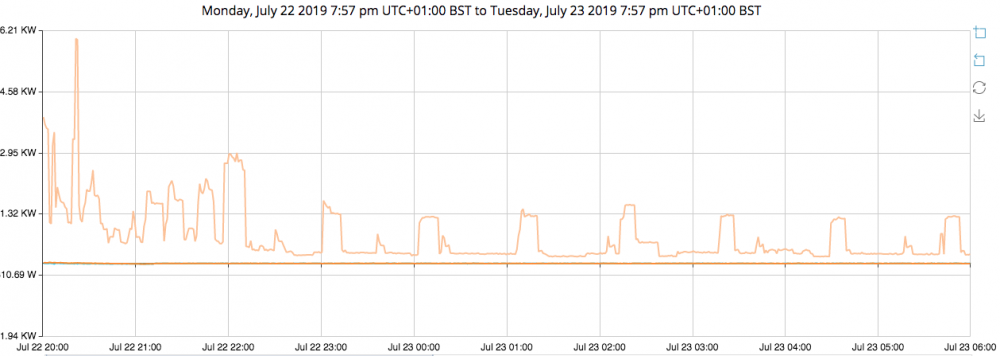
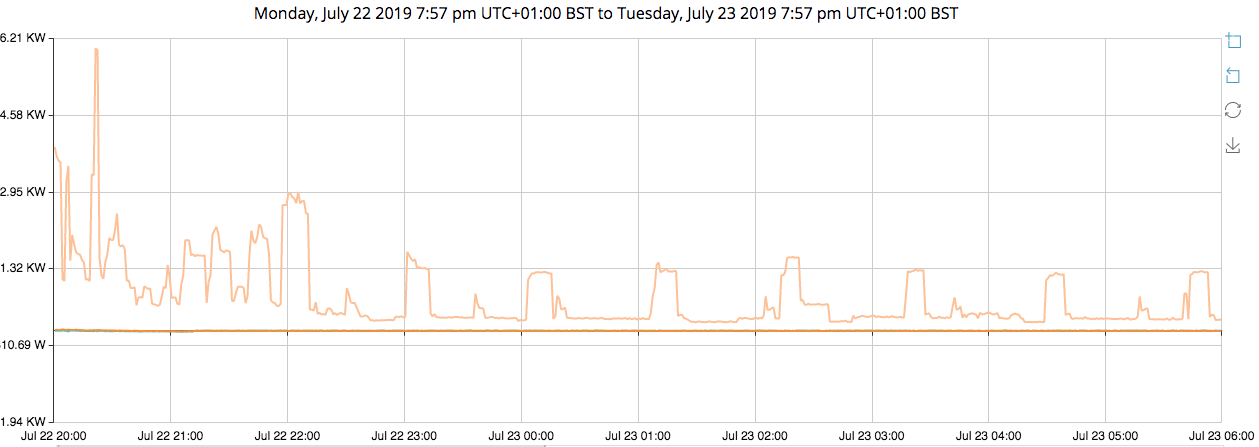
Well done @JSHarris.. just in time too!! Even in my leaky old house it only runs the compressor for 10-15mins every hour or so to maintain temperature...we turn ours on around 5-6pm so that it's nice and cold come bedtime and also the noisiest bit is over to give the neighbours some peace if they have their windows open. (Orange line is power household power draw)