July 25, 201610 yr I'm thinking of not bothering with a landline connection for my wee house, and using a wifi extender instead. The distance from my own house is about 40m with a clear line of sight. Not really sure what I'm looking at though- any advice?
July 25, 201610 yr Netgear stuff is good quality and reliable. You may want an outdoor unit that can go on the outside wall, or one with an arial port so the antennae can go on the high point of the outside wall. @JSHarris may be able to offer some wisdom.
July 25, 201610 yr Have you got a power line going between the houses? we've got an extender that uses the power lines to carry the signal, supposedly, I don't trust it, but it seems to work somehow, plug the transmitter into the router and a wall socket, then the receiver into virtually any other socket, i even had it running off a 50m extension lead to get WIFI into my workshop not this model, but similar and same brand http://www.ebay.co.uk/itm/TP-Link-TL-WPA4220KIT-AV500-Powerline-300M-Wi-FI-Extender-Two-Ports-Home-Plug/281497297768?_trksid=p2045573.c100505.m3226&_trkparms=aid%3D555014%26algo%3DPL.DEFAULT%26ao%3D1%26asc%3D20151005190540%26meid%3D7e95933ad4b748af8c4dfde36893594f%26pid%3D100505%26rk%3D1%26rkt%3D1%26
July 25, 201610 yr These are pretty good as they are PoE so as long as you use copper Cat5 not CCA cable then they are fine. We had one at about 110m through trees and no problems at all https://www.ballicom.co.uk/ap150wn1x1og-startech-com-outdoor-150-mbps-1t1r-.p999295.html?ref=PLA&gclid=CjwKEAjw8da8BRDssvyH8uPEgnoSJABJmwYoTL4bvw_rxdiXajE5tx4bRBCNRRjlmMzqKSl5J1QbXxoCeWLw_wcB
July 25, 201610 yr Author The wee house is on its own electricity supply, so no direct link that way. Didn't even know doing it over the 240v was an option! @PeterW I might need that dumbed down a wee bit... POE??
July 25, 201610 yr 50 minutes ago, Crofter said: The wee house is on its own electricity supply, so no direct link that way. Didn't even know doing it over the 240v was an option! @PeterW I might need that dumbed down a wee bit... POE?? Power Over Ethernet. In other words the power required for the unit is carried on the same cable (cat5/6) as the signal. Thus very simple to set up / install. Edited July 25, 201610 yr by Barney12
July 25, 201610 yr Yep basically you plug in the power supply somewhere near the router, feed a standard network cable in one side and then the one coming out the other side becomes PoE.. There are lots of different protocols but the simplest form is that you use the spare 4 cores of the 8 core Cat5 to carry power - usually at 48v. The device on the other end then uses this to power its "stuff" whether it be access point or IP camera. CCA cable doesn't do as well for current capacity as full copper cored hence the suggestion. If it's not far from the house router to the external wall then sometimes a pre-made patch cable (up to 20m is not that expensive) is cheaper than buying cables and plugs and tools to make connections.
July 25, 201610 yr Can't help thinking that for 40 m or so, can't you get a cable there? Cat6 is cheap as chips, so you could bury 2 runs in cheap PVC conduit and enjoy hard wired performance. Maybe part buried / part arial run with catenary wire?
July 25, 201610 yr 1 hour ago, Nickfromwales said: Can't help thinking that for 40 m or so, can't you get a cable there? This. Wifi is not as reliable as a hard cable and has far more constraints on performance. Unless there was no other option I would try to run a cable. Then you will get gigabit performance with no dropouts or interference issues etc.
July 26, 201610 yr Author The problem with running a cable is that there is a road in the way. However I do have some ducts in there from when I ran the power and water to the site, but they would be a real pain to dig up and find again. I know you're not supposed to run a Bt Cable next to a power line, would this apply for ethernet as well?
July 26, 201610 yr Cheap 'n cheerful, I have one of these that gets internet access across the mains to a room that hasn't got it. This is of course hard wired to the router one end and the pc the other. Just to get a feel for what's available, Maplin do wireless extenders which would allow easy tablet/phone access in the hut. You need to plug in the units on the same mains phase. http://www.maplin.co.uk/p/tp-link-tl-pa4010kit-av500-powerline-kit-n20nr Edited July 26, 201610 yr by Onoff
July 26, 201610 yr Where does the hut get it's power supply? Umbilical from yours or fresh supply ( on the same phase ? ).
July 26, 201610 yr 12 hours ago, Crofter said: The wee house is on its own electricity supply, so no direct link that way. Didn't even know doing it over the 240v was an option! @Nickfromwales
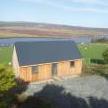
July 26, 201610 yr Author 18 minutes ago, Nickfromwales said: Where does the hut get it's power supply? Umbilical from yours or fresh supply ( on the same phase ? ). Hut? Pah! It's a house, just a *very* small one... I've spent £2k on a new connection which is completely separate from my own house. Didn't fancy having to take showers one a time (both houses are 100% electric for heating and DHW). I'm sure we could have rigged up some sort of semaphore system to indicate who was using the power...
July 26, 201610 yr Looks like wifi is your only option if it's the other side of the road. We've done some stuff with Ubiquiti before and they have (had..?) a range of directional wifi repeaters that you can "focus" on a spot to give maximum signal strength etc
July 26, 201610 yr Would it not be worth just trying out an ordinary wireless home router first, it may be good enough. My cheap phone can be set up as a wireless hotspot, it works at 20 metre away just fine.
July 26, 201610 yr Perhaps look at a wifi access point in your main house with a directional antenna pointed at the hut. Most access points have Omnidirectional antenna so pick on that allows you to replace it with a directional. Some people make them from Pringles cans but I've not tried that. If it's across the road you might loose connection when a high sided van drives past.




Create an account or sign in to comment