
Pocster
-
Posts
14055 -
Joined
-
Last visited
-
Days Won
29
Everything posted by Pocster
-
I never lie on her rug
-
 Sure . I picked on technology that exists today I.e lots of z wave / zigbee sensors etc . Thread is still new
 -
SWMBO factor taken into account lcd hot air blower ??
-
Notice also with the macalphine it has a rubber washer for above the tray . Thought it was strange the supplied one had none .
-
Z wave / zigbee etc. are where you need to be . Depending how technical you wish to be . All HA it currently still basic in terms of plug n work unless you want simple functionality.
-
Do I still silicone ring to trap then trap to underside ? . Or just fit unbodged first ? ?
-
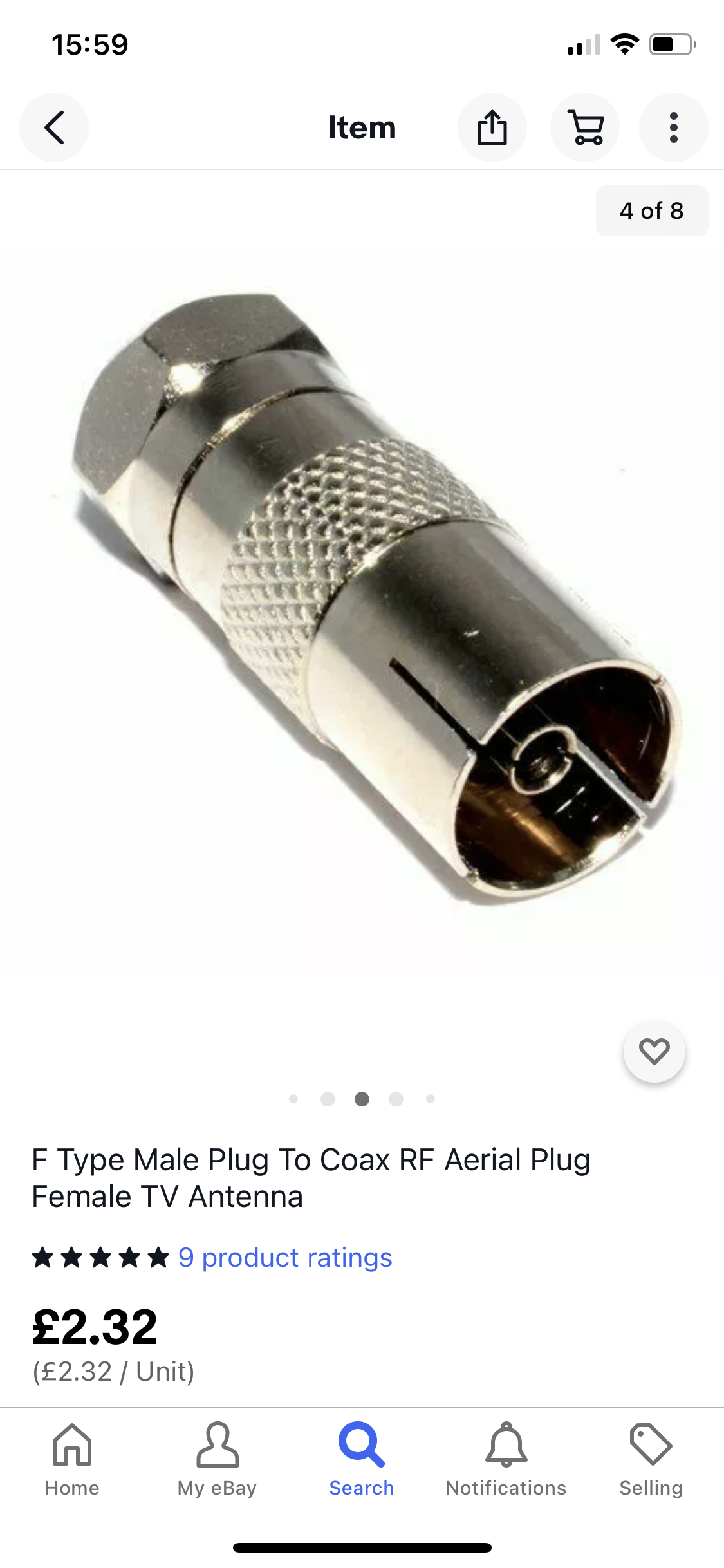
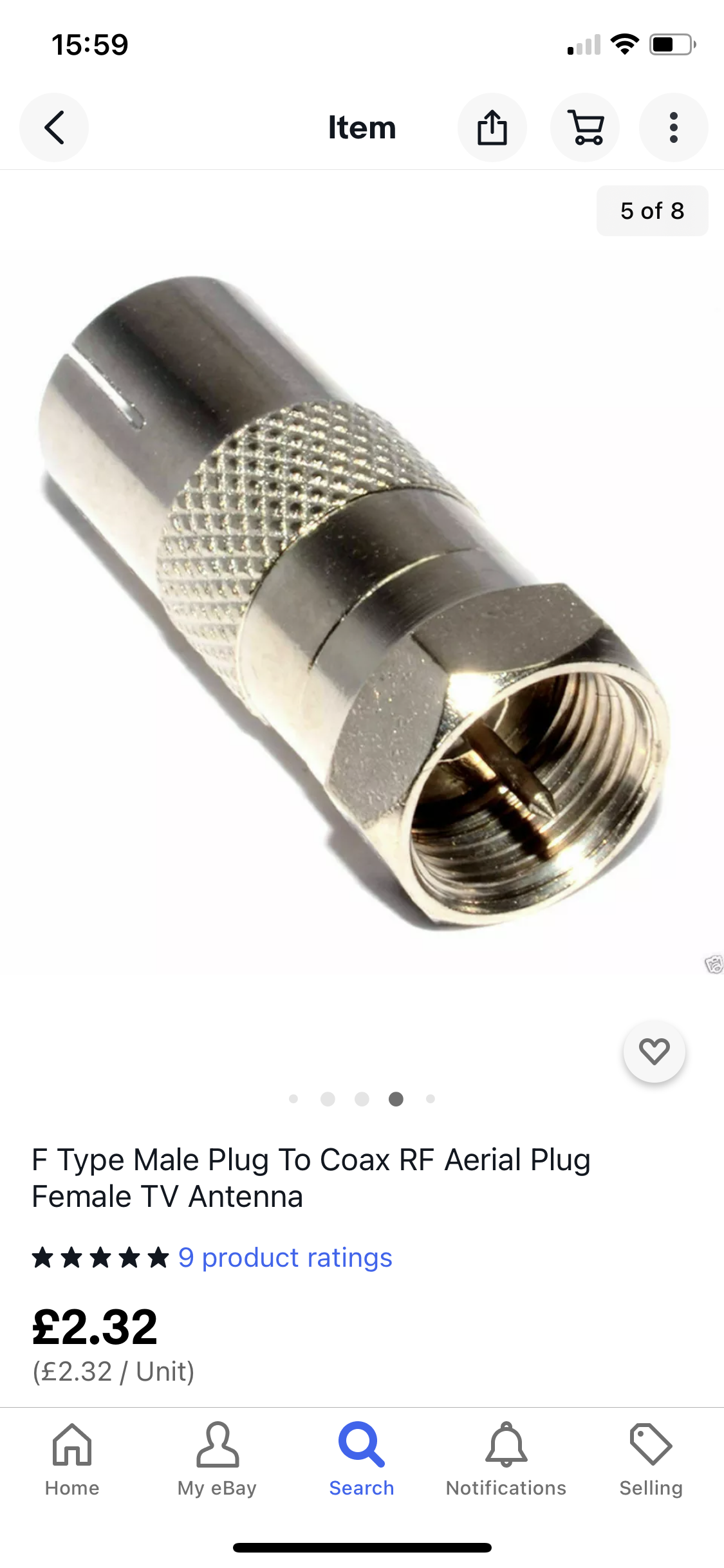
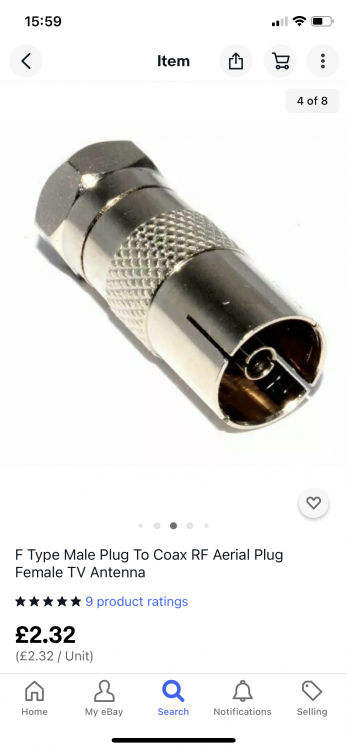
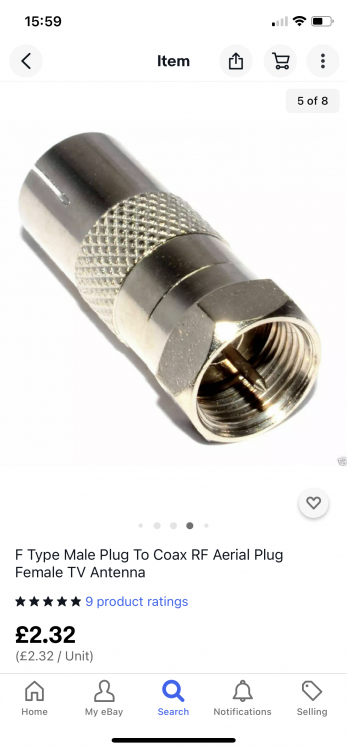
I need these ?? For the output to male Rf leads ??
-
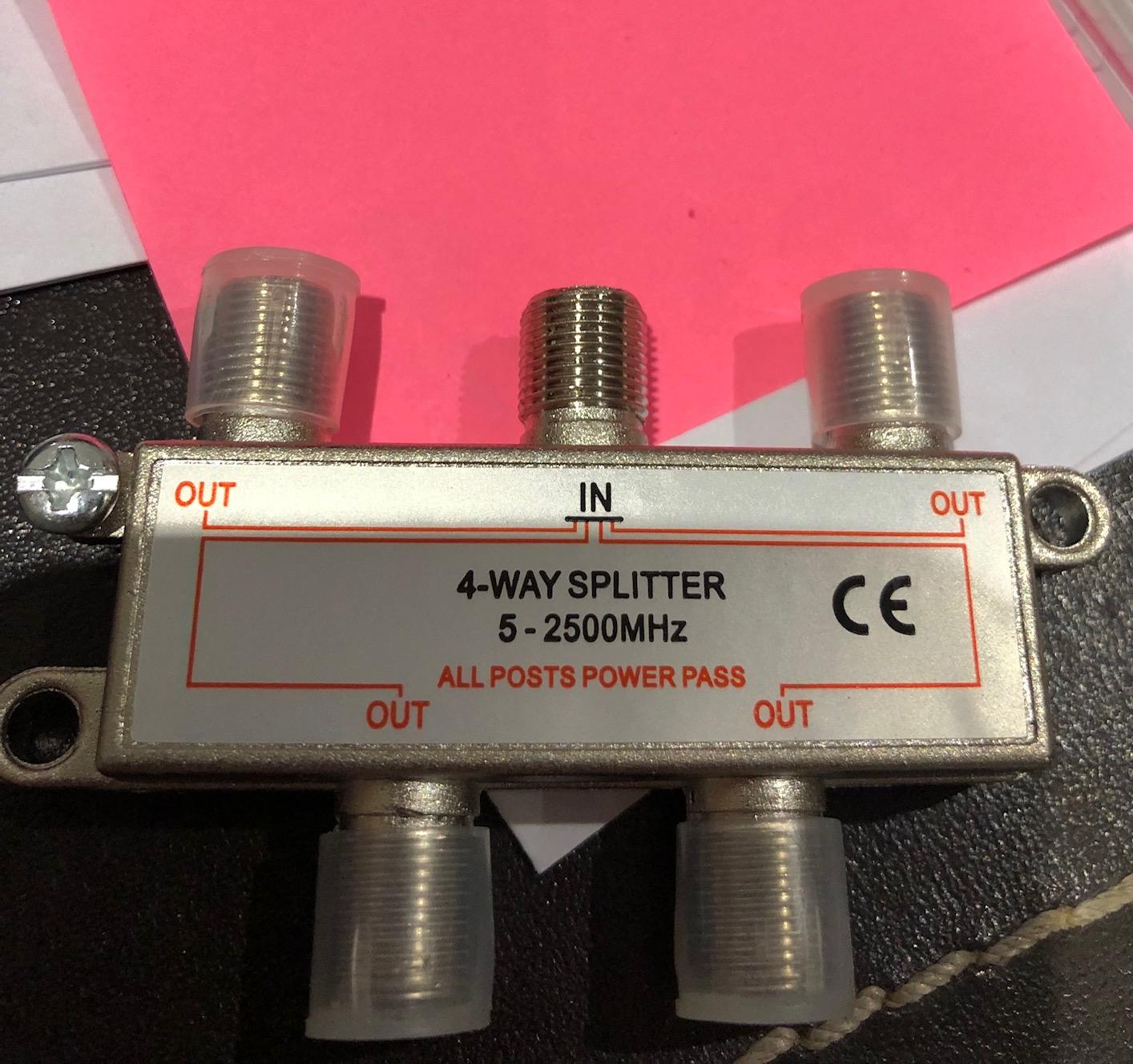
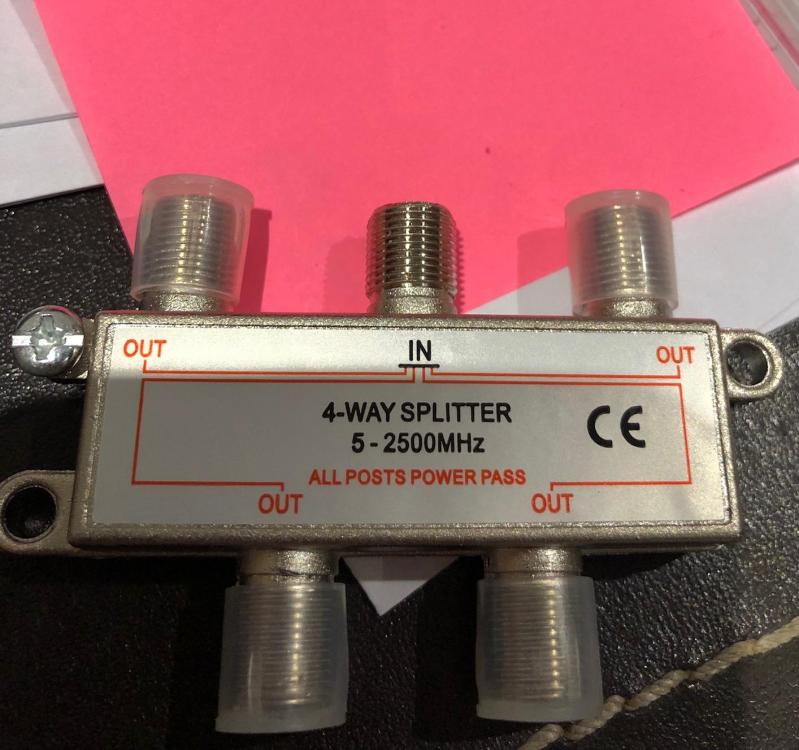
The tv Aerial is boosted yes . But if I get the distribution box as you list is better I’ll order that and drop the booster yes ? . So if I order this - do I need any other connectors / converters for the 1 input and multiple tv outputs ???
-
I have a TV amp that outputs to a female standard coaxial connector i.e. you you plug the tv aerial into. I wish though to have it plug into the IN on the splitter - but can't work out what fittings/converters I need. Then I need fittings for each output that allow a male standard TV aerial to plug into each of them. I'm getting confused between F connectors/coaxial/BNC etc. etc. Guidance appreciated!
-
Decided we won’t have a log burner - it’s just wrong for our house and the environment ( understand perfectly though if you are non urban it’s justifiable ) . One of the very few neighbors that talks too me was only to happy to have the timber for their open fire . I have to split it and chop it up for them as they are old and most likely won’t survive the winter and a new Covid mutation ??
-
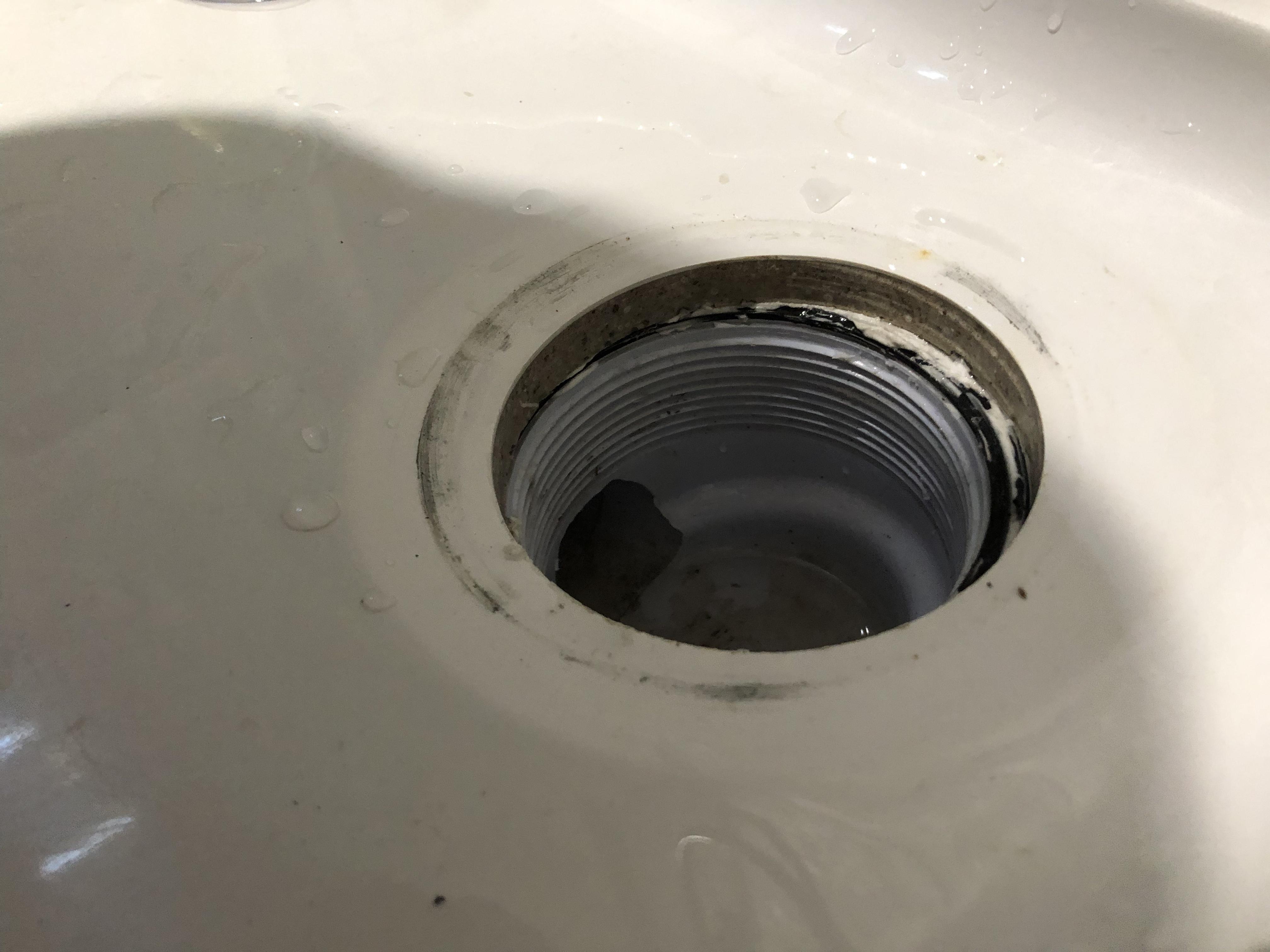
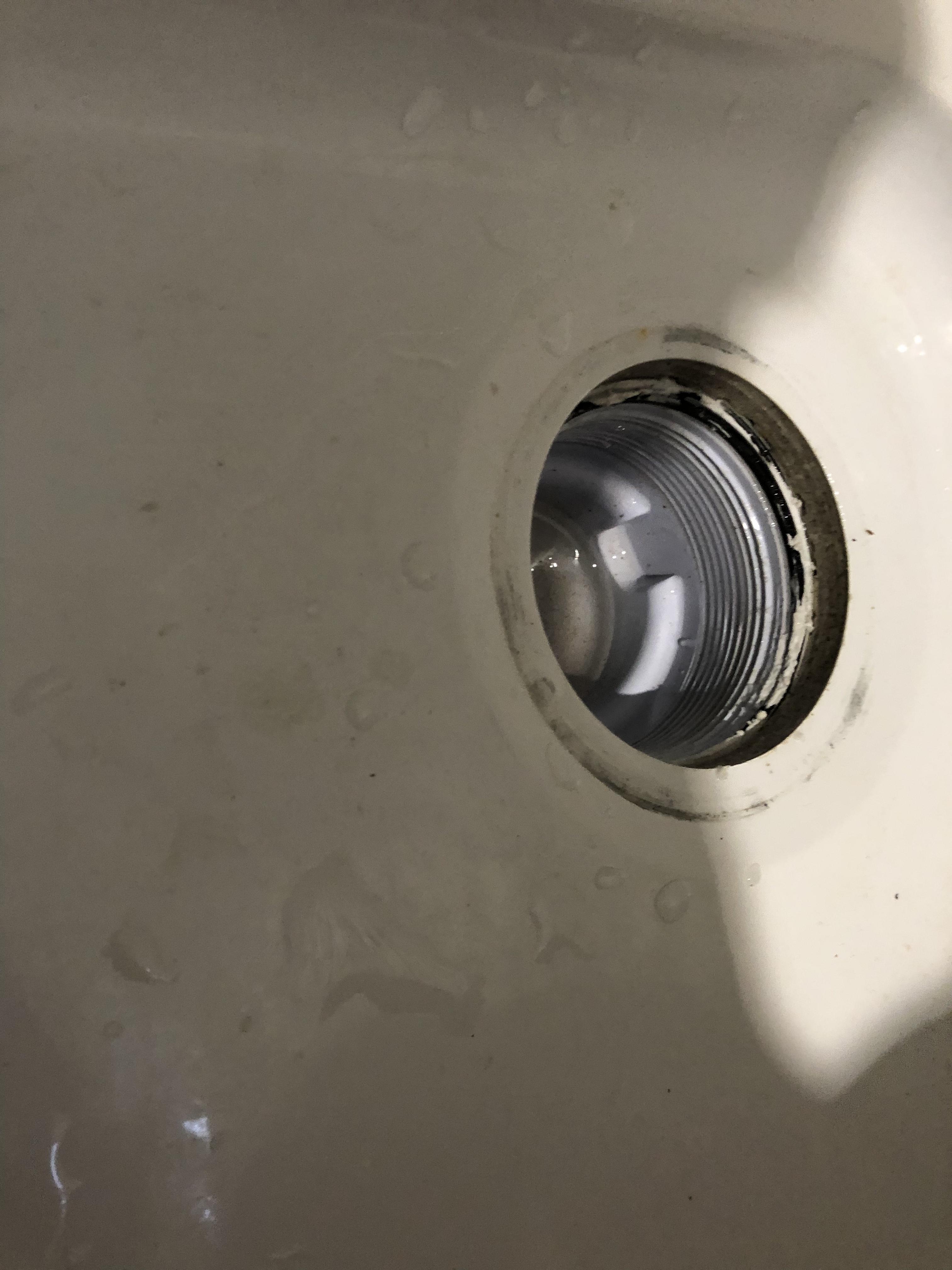
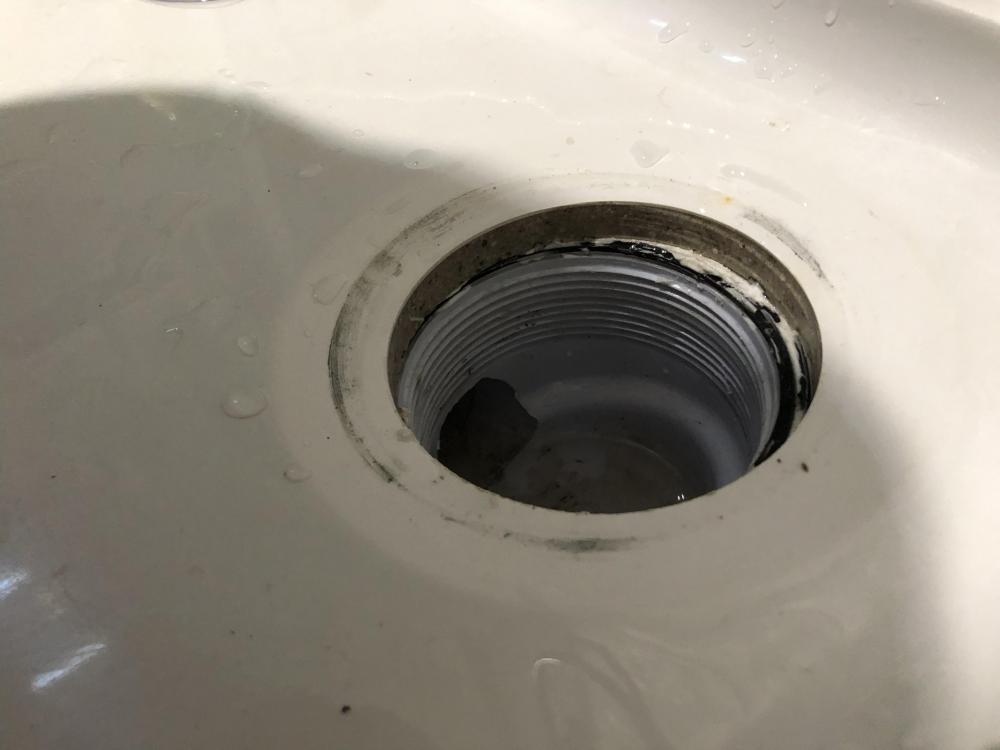
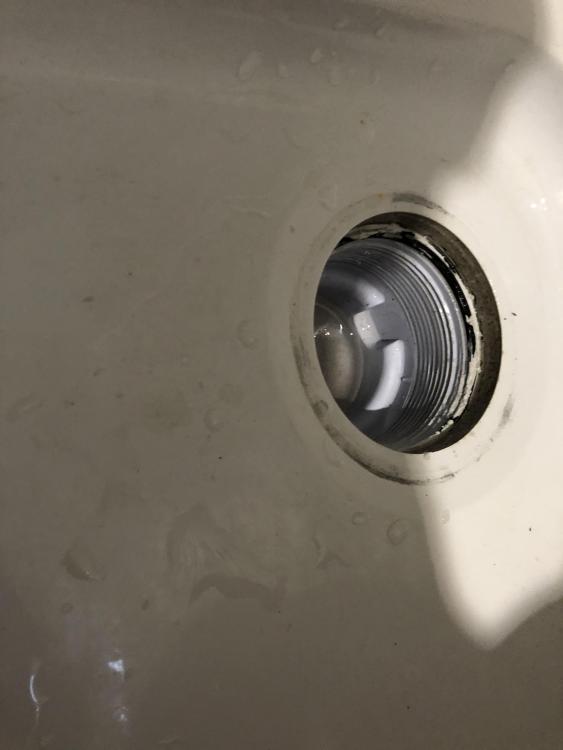
Well ! The cover ( what do you call the bit that screws in from above the tray? ) came undone easy - too easy imho . Not touched the trap - but it looks like a decent seal .. ( but isn’t ) . Getting the trap out easy now . Recommendation for a new decent trap etc. - screw fix link appreciated !
-
Yeah trap supplied with tray . Getting it out is the issue as it’s awkward and trap and metal insert will all be silicone… . Monday I’ll attempt to rip it out . Might try the multi tool under neath to cut the trap in half or something ….
-
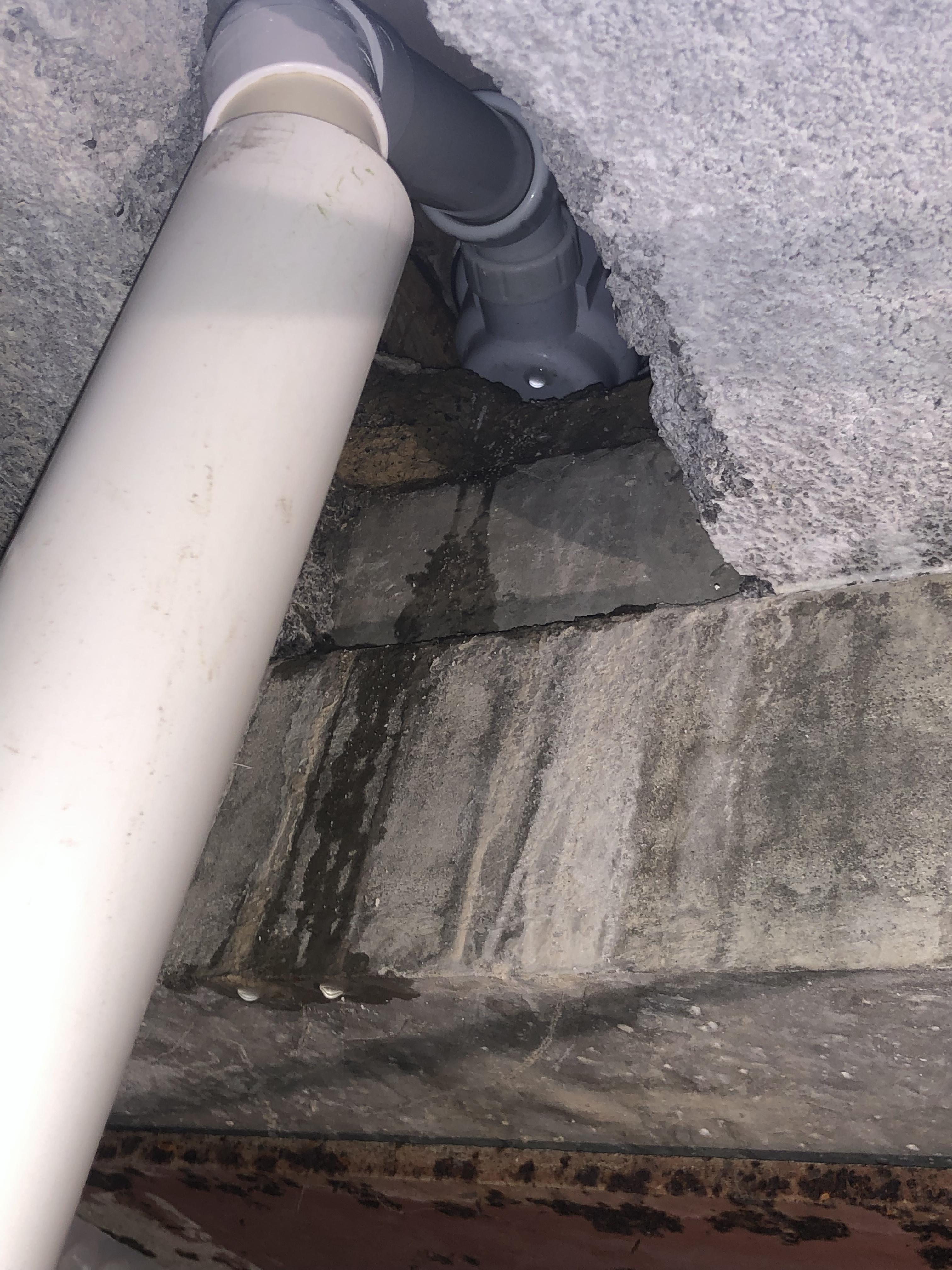
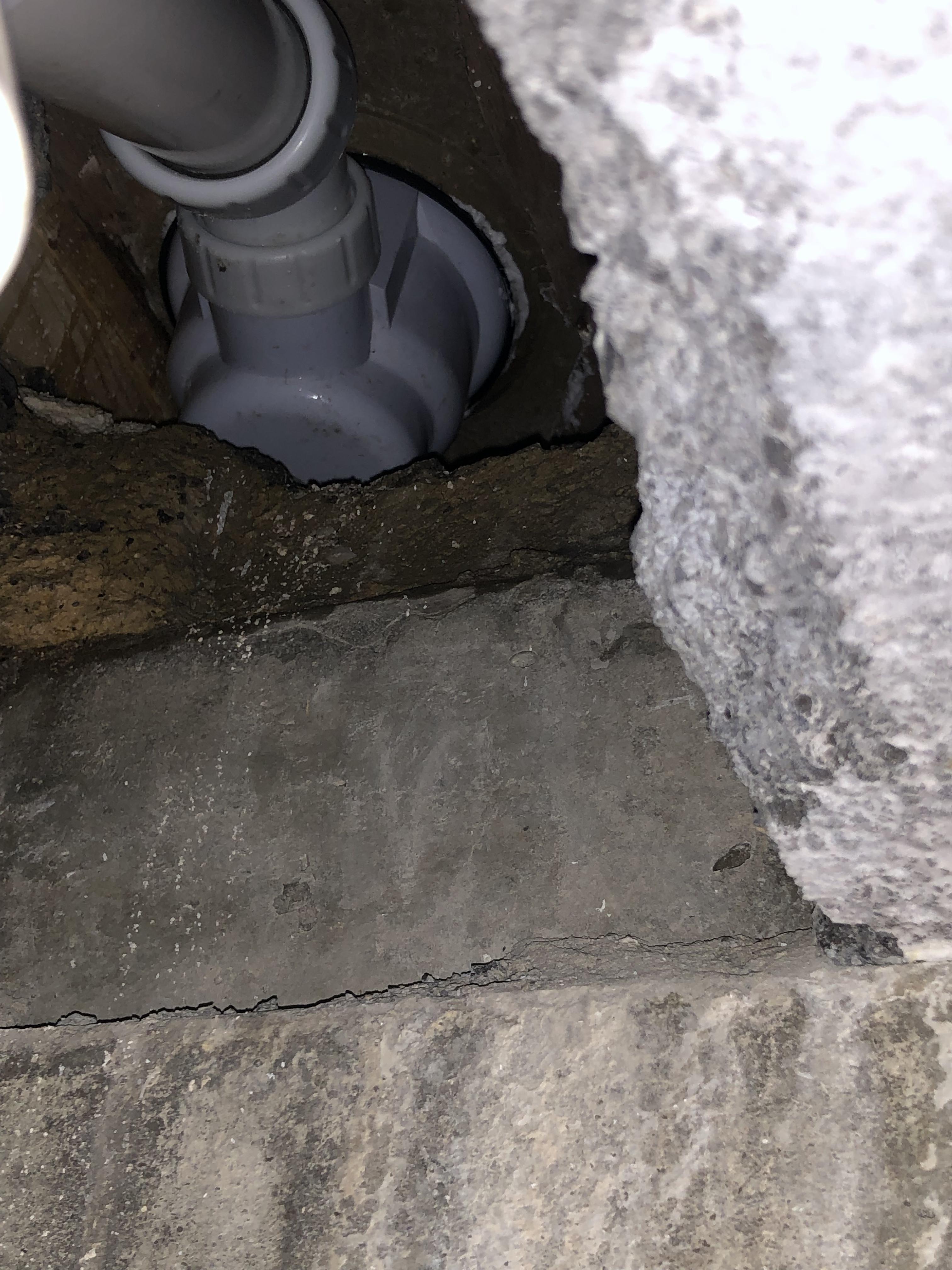
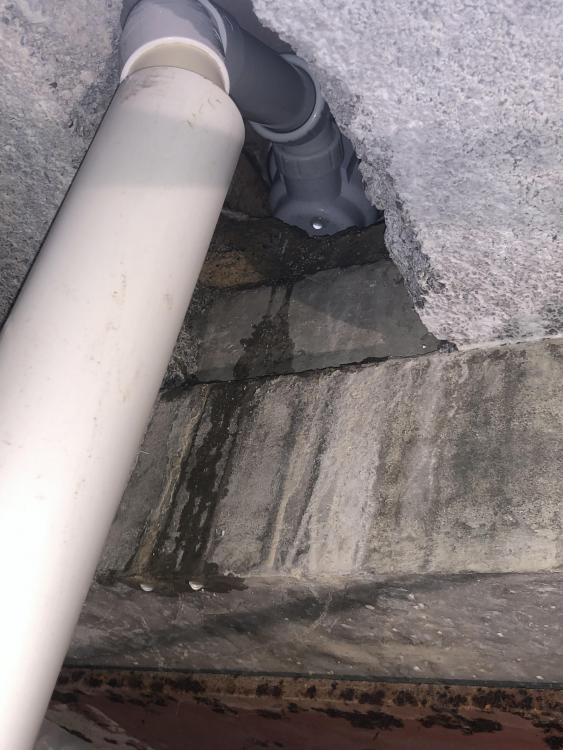
Still leaks ffs ! Now what ? Try getting it out ? Try smearing perhaps tiger seal around the trap to tray joint ? - but as you can see I can’t see the other side of the trap . It’s above beam and block and then beyond it is steel ?
-
Not virgin but evil Hawaei - so I’m sure the great Chinese nation is interfering in my technological madness . Not a fan of dynamic ip’s . I tend to memorise the common ones . So bathroom ip for example I’ll know - easy to access rather than ‘finding ‘ it’s ip when it goes wrong . Stationary targets easier than a moving one . I’m allowed a little break of IT fun before I’m back to the bricks n mortar .
-
I like IP's because I group things in ranges e.g. iPads are 192.168.8.50 -> 60 pi's 192.168.8.100 -> 130 etc. etc.
-
Excuse me! As an ex software engineer I know where my Mac's are coming from ?
-
This was driving me mad! So I boot 1 raspberry pi at a time. It gets whatever IP address the DHCP server decides. SSH into it and edit dhcpd.conf (I think ). Few lines to get it a fixed IP address ( for everything else I set the fixed IP off the MAC in the router - as it's simpler ). Have to do it this way - otherwise I can't tell what the hell's going on!. But as others have said all devices MUST have a unique Mac address when manufactured .....
-
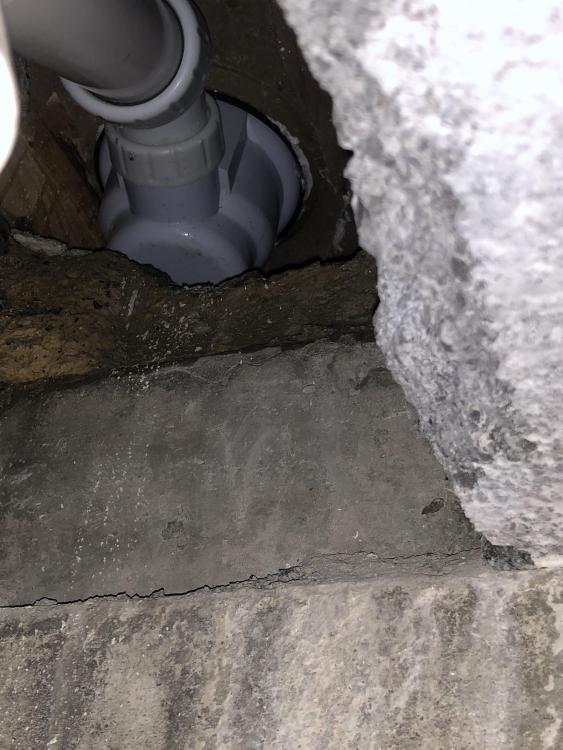
Wasn’t brave enough to ct1 it so used silicone . Between trap and rubber ring then between ring and tray . Will test tomorrow ?
-
Same as mine ???? ( I am joking btw !!! )
-
Same as mine ??????
-
Yeah I know - but something is confused
-
It was a zero - though I have all variations ??
-
Yeah I detect router / switch are getting confused . But even powering off one pi . Reboot router / switch still shows same MAC address on different pi ! ?
-
I know that. But it's a bit tricky when multiple PI's have the same MAC address
-
I should point out when I 'swap' between these 2 it's the same physically connection on the switch. But that shouldn't matter should it?. Google isn't helping me