
dogman
-
Posts
670 -
Joined
-
Last visited
-
Days Won
3
Everything posted by dogman
-
@JSHarris any idea of the potential performance decrease.
-
Can anyone please help. The calculation of U values for triple glazing panels If you have a glazing panel, made up as 4-20-4-18-6.8, soft coat, soft coal, Lam/tuf glass with warm edge spacers and argon filled is it possible to reduce the air gap to 10mm and 10mm and still achieve the same thermal efficiency. Everything i have found on line suggests it is not possible.
-
No problem will see if there are any drawings of the manifolds online
-
@Nickfromwales Any chance you can measure the finished length of the cold manifold in your picture. i am trying to decide where best to put mine and the length will help
-
Fully agree Peter. I am in that group so my pump is as set by Earthsave when it was commissioned However i think most of us on here are looking to use ASHP to cool and need that access unless its simple such as mine. long press switches to cooling mode
-
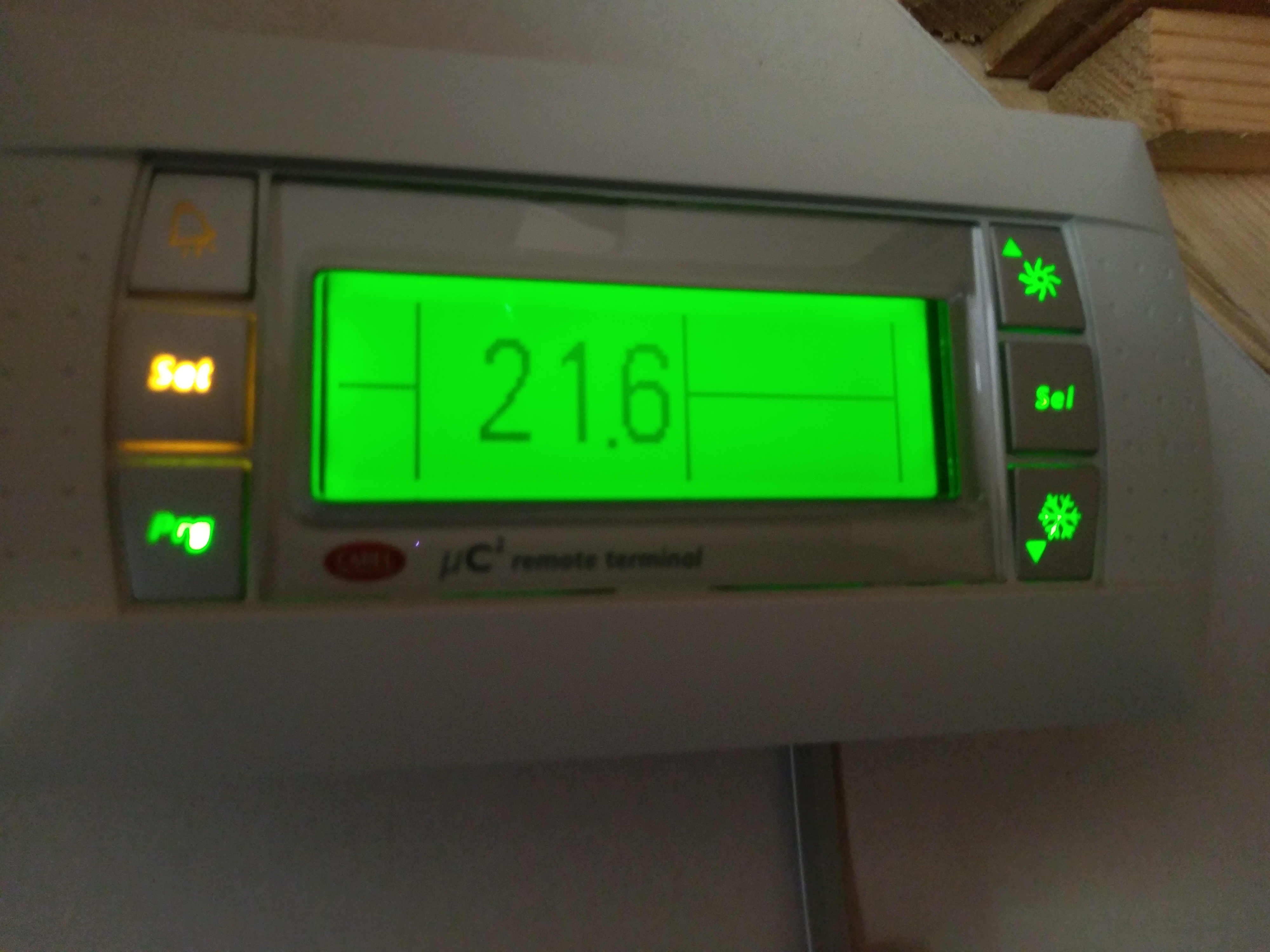
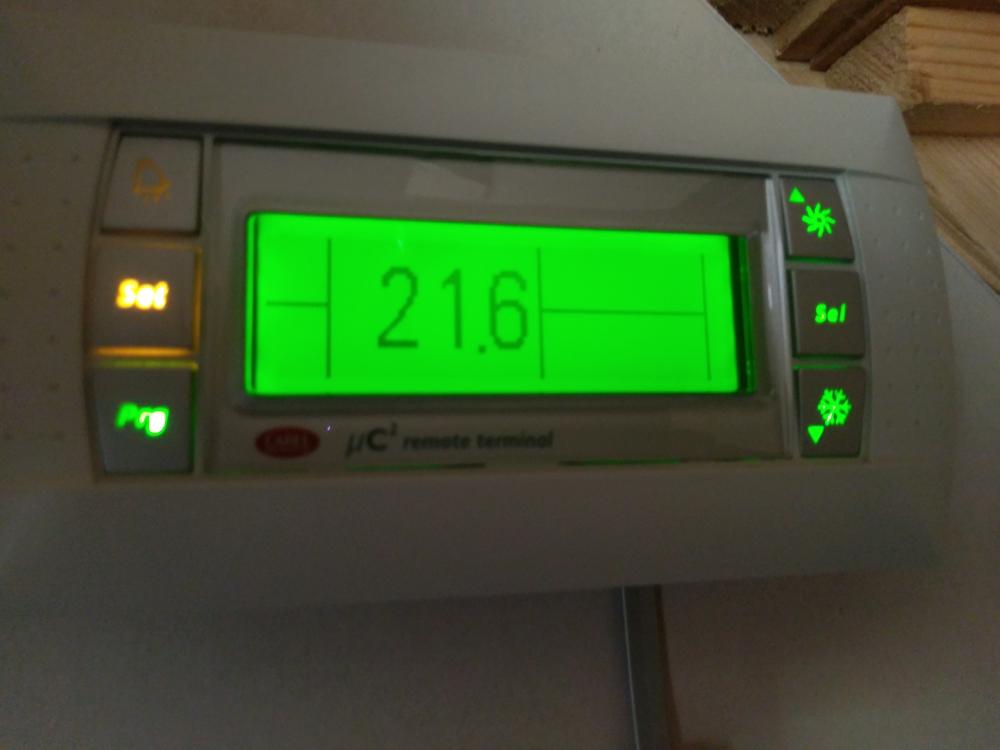
There is an advantage with companies like Earthsave. They do not lock down their software or hide features. You have access to all the settings in the controller and they are more than happy to talk you through any set-up issues individual to your installation. My Carel controller has one button to switch it to cooling mode. I do have to agree their installation manuals are a bit Chinglish. (is that how you spell it)
-
I have its baby brother( or sister) and have no problems with it or the ongoing service. I know a few others on here have kit from them and are happy. Yes as @JSHarris states they are made partially made in China like a lot of other manufacturers. I have an advantage in that i live a few miles from them so can go and see them at their warehouse. They used to have a stand at Swindon where you can see their products. I am likely to use this model myself as it is good value. (not ebay value though). I know they swap out a lot of the service parts for uk/eu spec items. If i have time i will take a photo of mine with the lid off.
-
Again thanks for looking at this for me. I'll wire the house to set the system up as above. it addresses my issue of using two locations and keeping the cctv traffic away from the house network
-
So the issue is the Genexis modem router. If i understand correctly. The point where the traffic tries to access the internet is where the traffic mixes with the other LAN I had a quick look at the Platinum product from Genexis and it has a lot more management capability However as @reddal has suggested if his method allows the CCTV traffic to do its own thing up and to the point it access the internet and the Home Lan to do the same, do i really need to worry that if someone on the home lan wants to see the cctv by running client software other than at that point in time there maybe a bottleneck at the Genexis unit as it routes traffic between LANs
-
@PeterW sorry to be thick, but does this mean the Lan's will not be separate. I do not really understand netwoking. I tend to search for a way of doing something try it and be pleased with myself when it works. I did this initially with DDWRT where i set up VLAN detached networks on a buffalo router. this fed two routers for two wifi hotspots one for us and one in the rental cottage. I followed instructions but did not really understand how i got it working.
-
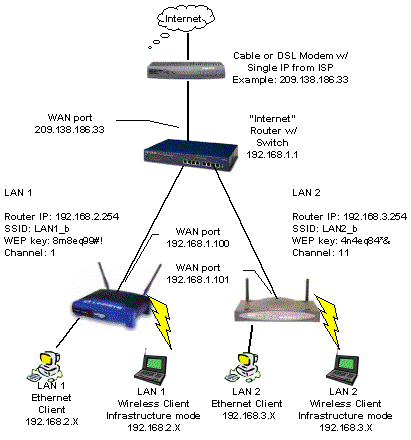
Thanks for all the information everyone. looks like best option for me is two separate Lans Use whatever kit i get from Gigaclear as route to the internet. This will be in the Cloaks Cupboard. Take two links from the Gigaclear kit. one for home network and one for cctv below is not exactly what i will do but near enough. (Ignore all the addresses and keys as diagram is copied from internet) The Gigaclear kit has wireless and gigabit ports https://www.gigaclear.com/wp-content/uploads/DRG700-version-2-Quick-Installation-Guide-.pdf This is the standard kit, there is an upgrade. We were offered a business connection and you can choose the equipment to match your needs. From the Gigaclear kit i will take two links. (in both copper and fibre SPF compliant) One pair stays in the cupboard and is fed into a decent wireless router to provide wireless around the house. From the wireless router i would connect a port to a switch for the wired household Lan Switch does not need POE although if i can get one cheap to run phones etc ( if i use Voip) i will. 16 ports should be okay to start. Wire house with as many cables as i can fed back to cupboard into patch panel. Second pair to the plant room for cctv Use an old gigabit router as connection, fed to a 16 port POE+switch. CCTV dvr will connect to one of the router ports CCTV cameras will be fed into switch. It will only have 15 spare ports but can always add a second switch or bigger one if needed. DVR supports network storage so the router could also be used to link a NAS to the DVR. If i have understood this correctly. i should have two LANS totally isolated from each other. Both with internet access. Both with hardware firewalls provided by the Routers. Catx cables would be halved in each location making an easier install
-
My hybrid dvr can manage an ip input of 80 mbps from ip cameras and 16 analogue channels at WD1. It has a gigabit network card. I will need to lower the resolution of some of the cameras on the ip side. it can run 32 if needed, Will look at all the advice given tomorrow and draw up a plan for everyone to see
-
I have a router with 4 gigabit ports. Its a buffalo running DDwrt. If i use that as a basis for the cctv network connected to the gigaclear fibre unit then i should get the network separation and a firewall as well as some control through DDWRT.
-
Gigaclear's normal router does not have SPF ports but the upgrade does. They give you a self install kit which you connect yourself including the pot at the curb
-
That's an idea, The stables are about 70m from the house would that cause an issue.
-
Good idea i have some 25mm flex duct left from the water pipe. Might try and get a draw string through it first.
-
Saw one on ebay in 16 port the other day. As only three or four cameras are PTZ then i could use injectors for them and use the ports to drive static cameras. will this mean a managed switch?
-
I currently have 16 cameras around the grounds. I have 5 acres with stables and several entrances. CCTV is vital to keep the scroats at bay. If i go to IP it will hit the network
-
@PeterW the manual for the Reolink RLC-423 states PoE (802.3at) which i thought was POE+ My Cat6a is solid copper so i am ok there one roll is FTP
-
A quick look online and I could get pre made made fibre cables for not a lot of money. Maybe to key points such as TV and study.
-
POE was my second question in relation to the IP cameras. Would it be better to set up the CCTV as it's own network or sub net isolated from the house network. I picked up a reolink IP ptz camera on eBay for 40 quid. It is really good quality so will swap out all my old CCTV as and when. I will put cat6a to each CCTV point. As I can use it for the analogue CCTV as well. The Poe for the reolink required a POE, + injector. Any switches that can drive this type of camera were quiet expensive on ebay
-
I have put a MVHR vent in a large cloak cupboard near to the duct for fibre connection. It is central ish in house. 24 ports would be enough so probably best to stick with one switch. I have 2x 500m of Cat6a bought for a song on eBay. Will use it all by just running extra cables as stated by @reddal , didn't think about heat as two locations would be a problem
-
I think it was @Mikey_1980, who put me on to the pipes in the insulation layer. Mbc were quite happy and have sealed the pipes as they go through the air tight membrane
-
Received a visit today from Gigaclear. We are getting fibre to house in the next few months up to 1Gps both directions. As this was unexpected it has got me thinking about how best to network the house. Rather than cover everything in a thread i would like to ask our resident experts about how best to wire the house with cable. I have not worked out how many points i will need yet but it will be at least 16. I also have a cctv system that can use IP cameras I have three locations where i can set up the equipment. The first thing to sort out are the switches. As 16 port and above Gigabit switches get very expensive, i was thinking about two or three smaller switches. Then i thought about putting them in different locations to reduce the cable lengths and the cable jungle you get. Cable will be cat 6 or 7( will not be using the cat 7 connectors) and possibly fibre to link the switches if i can find them cheap enough. Everything will be wired through patch panels. Will having several switches impact performance.?
-
Yes i am. is this a fire question