
canalsiderenovation
-
Posts
1703 -
Joined
-
Last visited
-
Days Won
9
Everything posted by canalsiderenovation
-
 Yeah I'll try that...
 -
Meter Readings Panic and Electricity Costs
canalsiderenovation replied to canalsiderenovation's topic in Electrics - Other
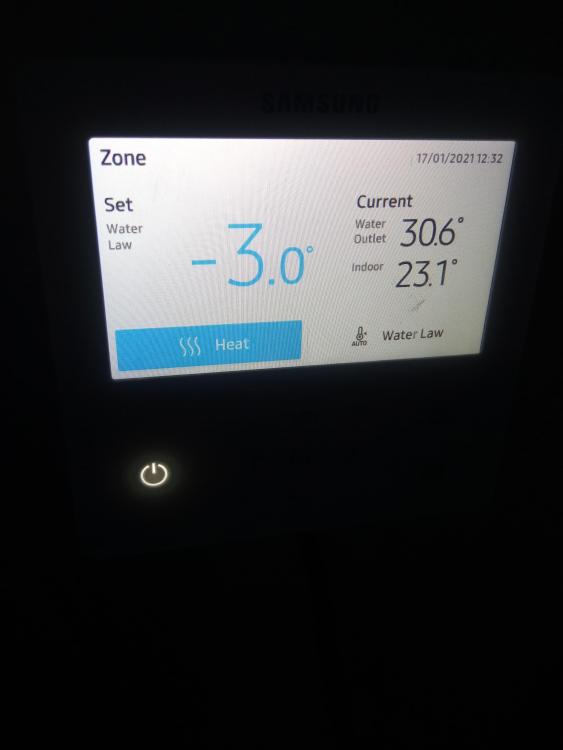
Ok I know you are all probably sick of me now. I don't quite know why I'm posting this but just for my own sanity at least it's out of my head. Alto have just rung. Apparently the energy usage screen on the heat pump isn't accurate and is only an estimation! I think this may be a bit of BS (but if someone tells me I'm wrong I stand to be corrected) but I'll monitor that but our figures suggest it isn't and is surprisingly accurate. They were quite dismissive about the flow rate temperature and indicated it will take longer to heat up so electricity use will be the same but based on the conversation on here and what I've read I think this is something I'm going to monitor and it's set at -3 as I think @AliG suggested so the flow temperature is slightly lower now Since we took the meter reading of the heat pump and immersion on Friday and again at 3:30pm today we have used a total of 101.74kwh split between 6.96 on immersion and 94.78 on the heat pump. Our total meter reading since Friday lunch and just now suggests we have used 122 units of electricity in total. Allowing for 101.74 on the heat pump that means we have used 20 units of electricity which when we used dishwasher and washing machine, dryer over the weekend as well as charging chain saws, hedge cutters etc since we were gardening seems pretty low and fits with what I thought our general usage was. I've also been on to Octopus about their tarrifs and Octopus Go and Go Faster as their day rate is cheaper than any other fix we can get and then any other cheap rate they can offer at night (or other times with Go Faster) will help us as we can time appliances etc and our electrician is coming this week to finally sort the solar too. This is literally taking over my life..... -
Meter Readings Panic and Electricity Costs
canalsiderenovation replied to canalsiderenovation's topic in Electrics - Other
That probably sounds about right then for our 'other stuff'. For a start asking them re the flow rate settings. -
Meter Readings Panic and Electricity Costs
canalsiderenovation replied to canalsiderenovation's topic in Electrics - Other
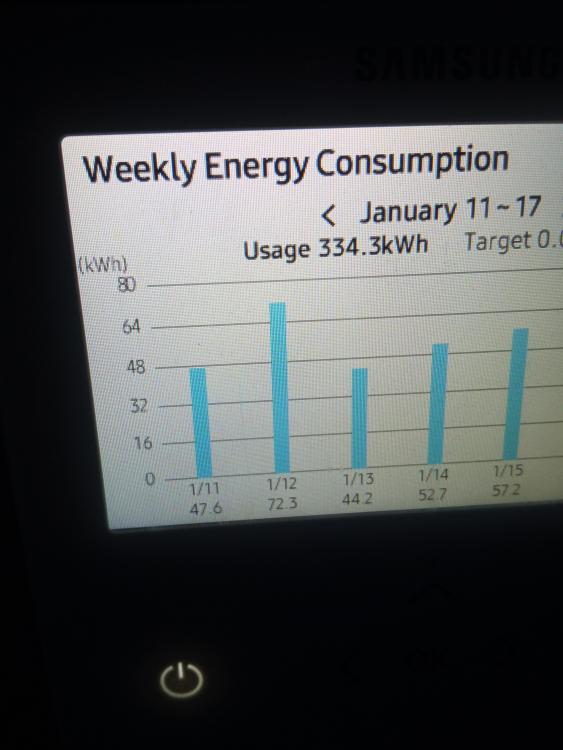
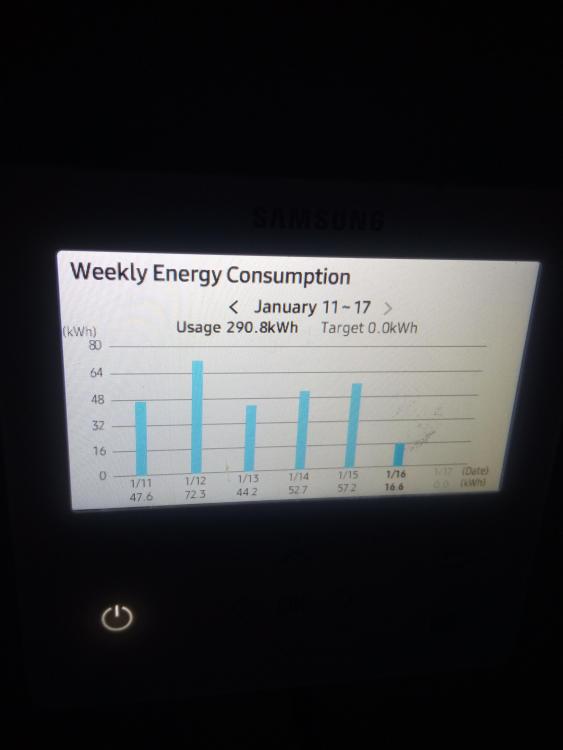
Ok right I need to check something. I took a meter reading on 7 January and it was 09359 and on 15 January it was 09945 it suggests we used 586 units of electricity during that time. Using the heat pump energy consumption setting I've found our daily kWh usage from that period. Granted on 7th and 15th that kWh on the heat pump is for a 24 hour period but in total it is 572kwh for those time periods (see bar charts below). If our total units of electricity used was around 586 for the 8 days (acknowledging I don't know what time of day it was on 7th I took the intial meter reading and was lunchtime on 15th when I took the subsequent meter reading) it suggests that our 'other' energy use was likely to be minimal. Does this sound right? When I rung Alto they were quite dismissive on the energy use of the heat pump and suggested we were likely using a lot of other energy elsewhere but this seems to contradict that point.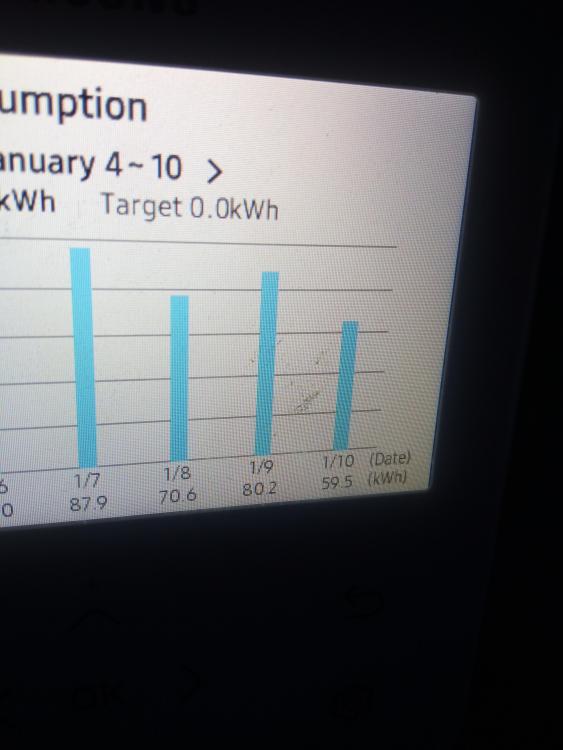
-
The wife thought it was this one but the instructions aren't entirely clearInstruction 10mm Wetroom (1).pdf
-
Neither of us can remember the make! We got it with the shower tray which we had off Facebook and it was new in the box sealed etc but the plumber binned the instructions!
-
Query on if this is right - Loft Insulation
canalsiderenovation replied to canalsiderenovation's topic in Heat Insulation
No I don't think we have ridge ventilation. I'll ask them to check the loft insulation when they return and keep an eye out -
Query on if this is right - Loft Insulation
canalsiderenovation replied to canalsiderenovation's topic in Heat Insulation
Yes sorry they are literally all around the bungalow on the pitched (not on the flat roof part) we now have about 25 of them all evenly spaced. It's not 60cm thought it's more like 120cm.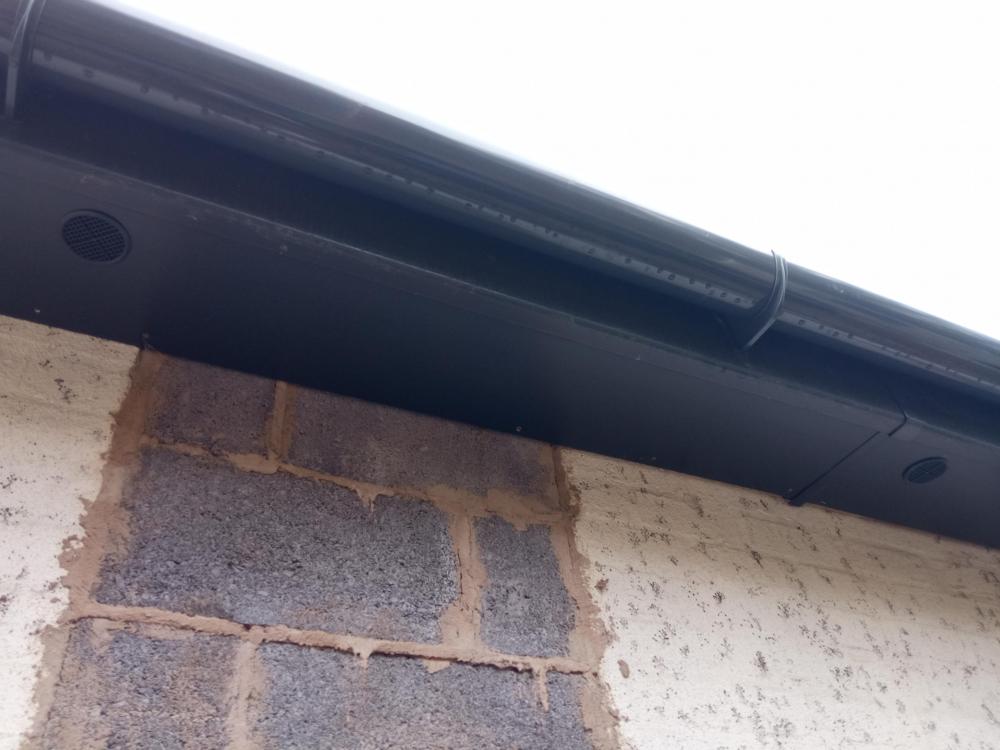
-
Query on if this is right - Loft Insulation
canalsiderenovation replied to canalsiderenovation's topic in Heat Insulation
So we raised this with the builder and some of these vent things were put in the fascias pretty much a couple of days after this post. Not seen anyone since due to Covid and I've just been up the loft and it's pretty much the same as it was in the first pic with condensation, so around a week ago? Should these have had some impact by now?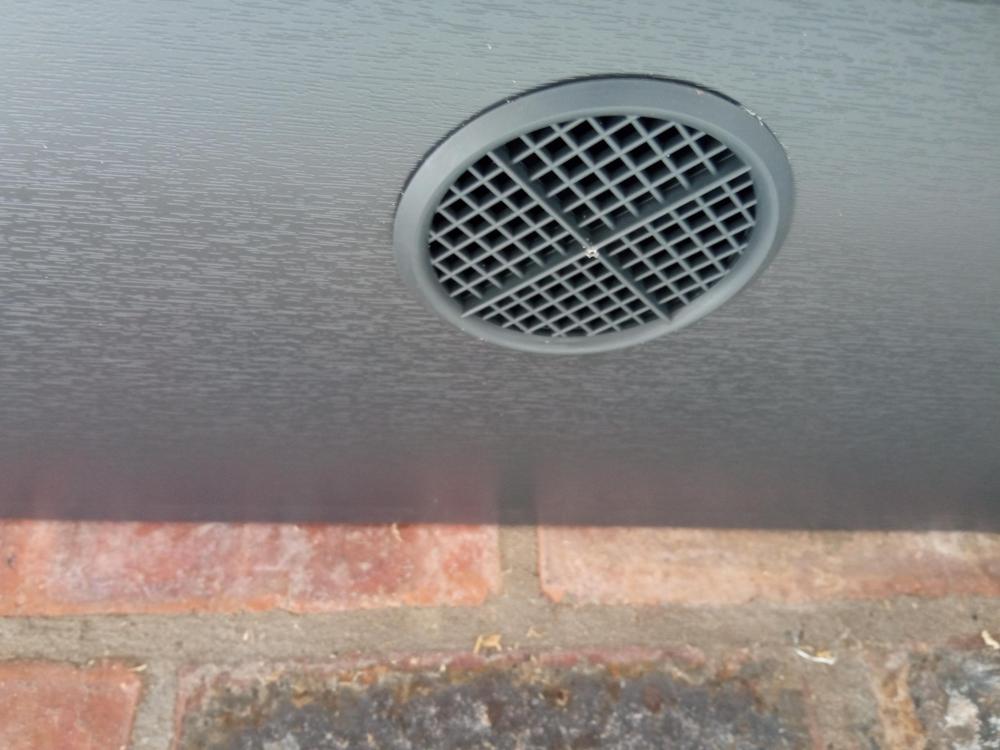
-
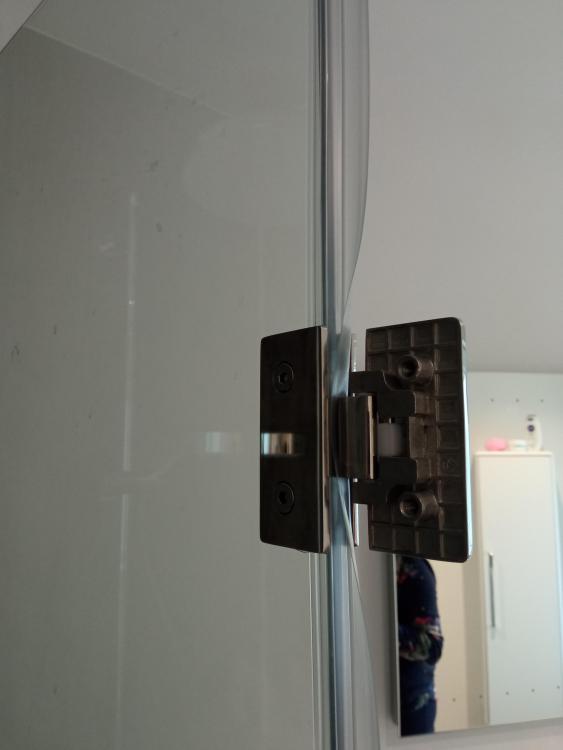
Quick question, just want to fit this flipper panel that the plumber didn't finish and as he had Covid. Can't find the instructions and just need to know what to plastic seal - are you supposed to cut a gap, fit the plastic under the hinges?? Is what he has done so far right or should he have cut a gap in the plastic seal?
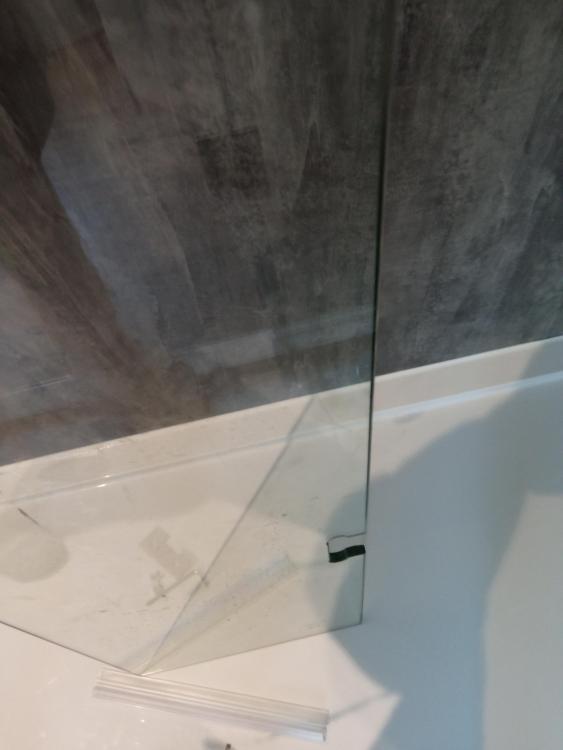
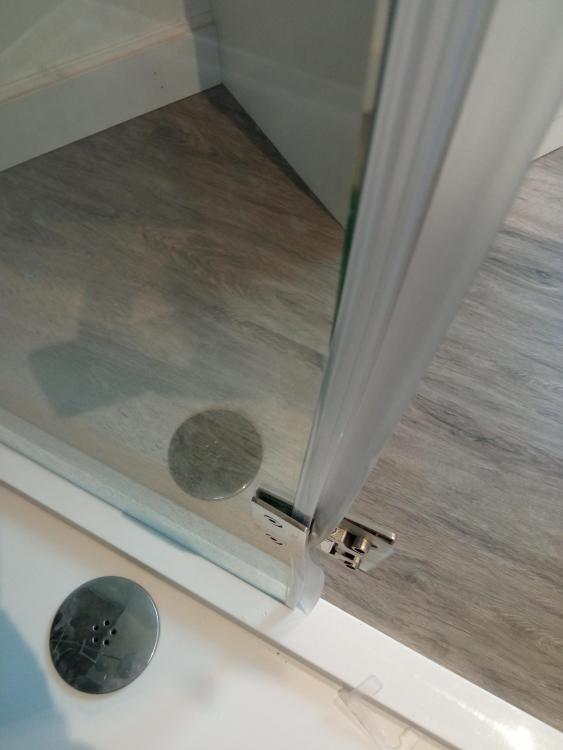
-
Meter Readings Panic and Electricity Costs
canalsiderenovation replied to canalsiderenovation's topic in Electrics - Other
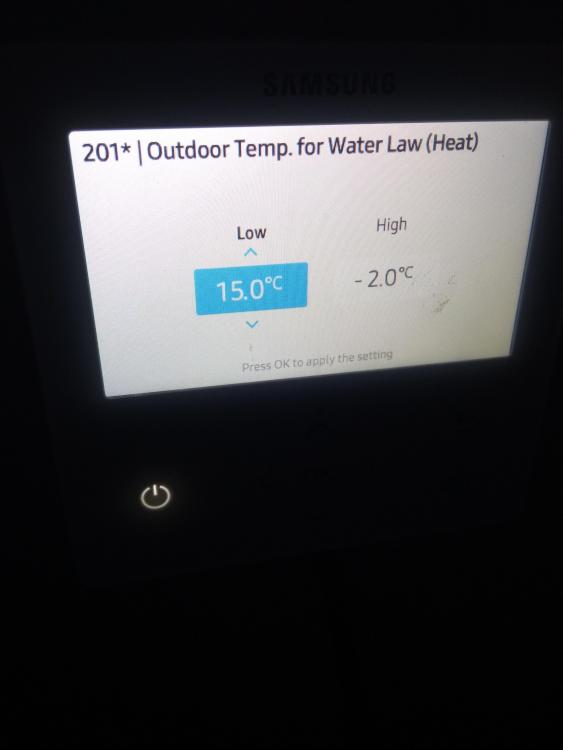
Seems yesterday the energy consumption of the ASHP went down. I'm now obsessed on this function! And this is the setting we have set on the water law now which I changed yesterday. I also did what @PeterW suggested and changed the 201* settings to 10 and -5. We have turned the room thermostats up to 20.5 degrees though as 19 was a bit chilly for us.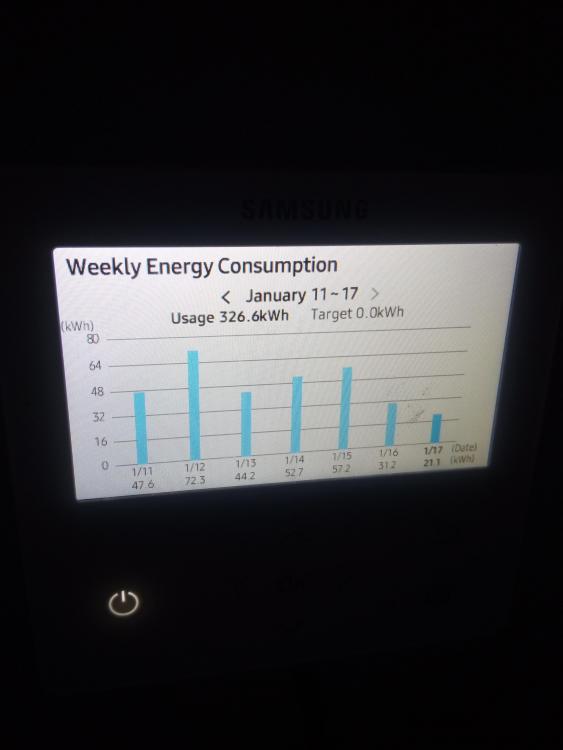
-
Boosting Wifi
canalsiderenovation replied to canalsiderenovation's topic in Networks, AV, Security & Automation
Still in their boxes as our electrician needs to come back to sort ethernet cables and some sockets and I'm waiting for it to be done so I can do the comparison on both. Pretty much all progress has stopped due to positive Covid tests from a number of tradesmen linked to the builder and others self isolating. -
Meter Readings Panic and Electricity Costs
canalsiderenovation replied to canalsiderenovation's topic in Electrics - Other
Not to help with the running of the ASHP but 'other' electrical things and diverting any excess to the immersion. -
Meter Readings Panic and Electricity Costs
canalsiderenovation replied to canalsiderenovation's topic in Electrics - Other
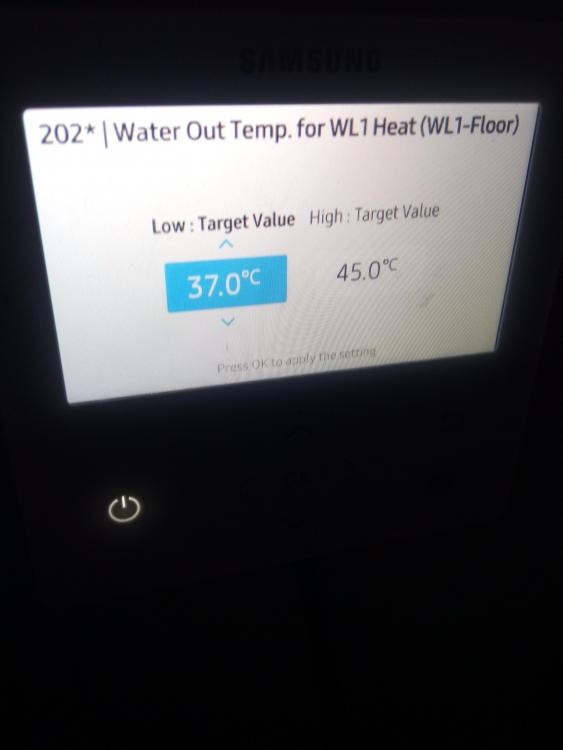
So @PeterW the pic that says 201* you would put at 10 and -5 and the pic that says 202* you would put at 35/42? @AliG This is the main one I had set at -5 to change change to -3? Our room thermostats are all set to 19 degrees but it is a bit cooler than I'd like but I'll perhaps leave them here just to see what impact it has. We did get a 55 inch TV ? We are being a bit more savvy now with electric and if we can get the solar connected in the next week or two that may help. -
Meter Readings Panic and Electricity Costs
canalsiderenovation replied to canalsiderenovation's topic in Electrics - Other
Okey dokey....here is the info from the water law menus. Priority is getting our energy consumption down at the moment.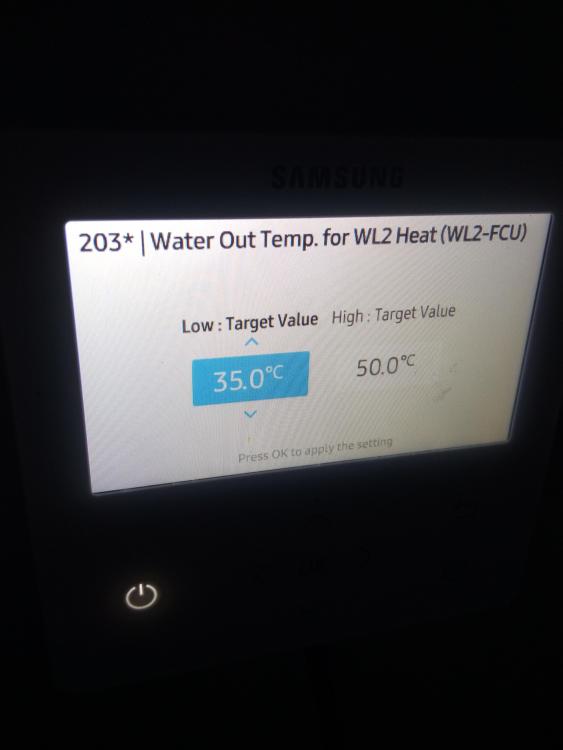
-
Meter Readings Panic and Electricity Costs
canalsiderenovation replied to canalsiderenovation's topic in Electrics - Other
Got it, I actually wrote it down ? you have to hold the ^ and down button at the same time for about 5 seconds and then it prompts you. That's how I accessed the menus above. If you then don't touch anything for 2 seconds it locks again! -
Meter Readings Panic and Electricity Costs
canalsiderenovation replied to canalsiderenovation's topic in Electrics - Other
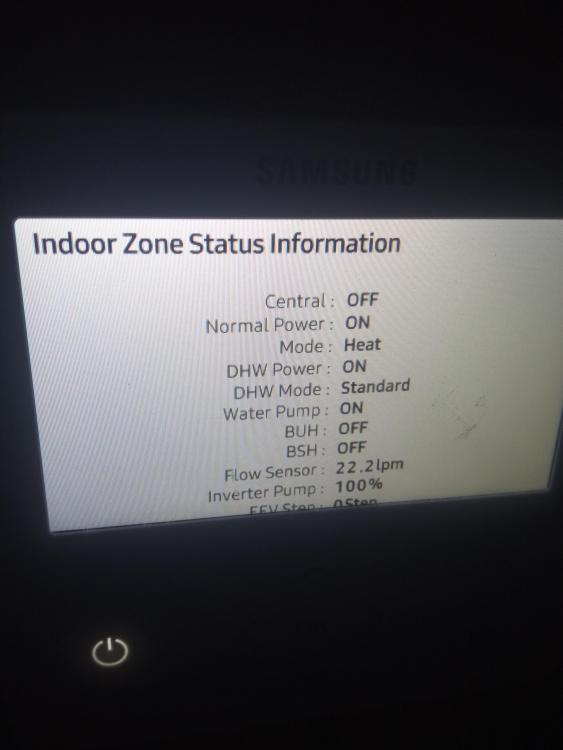
Right, managed to access the installers menu. Lots of options. Any suggestions... @AliG I've got the manual but to be honest it's far more complicated than the actual screen.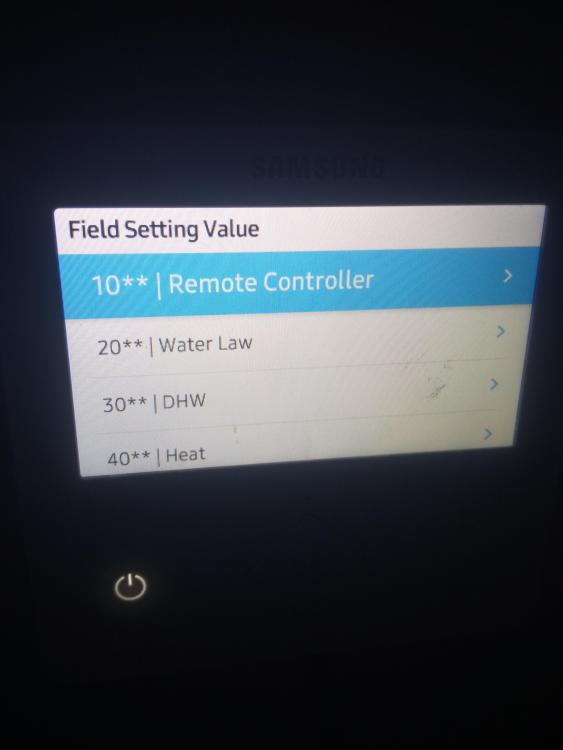
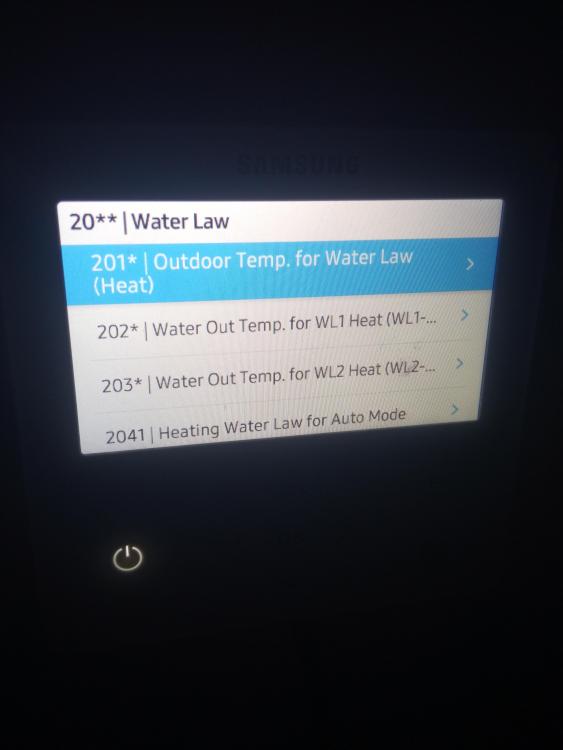
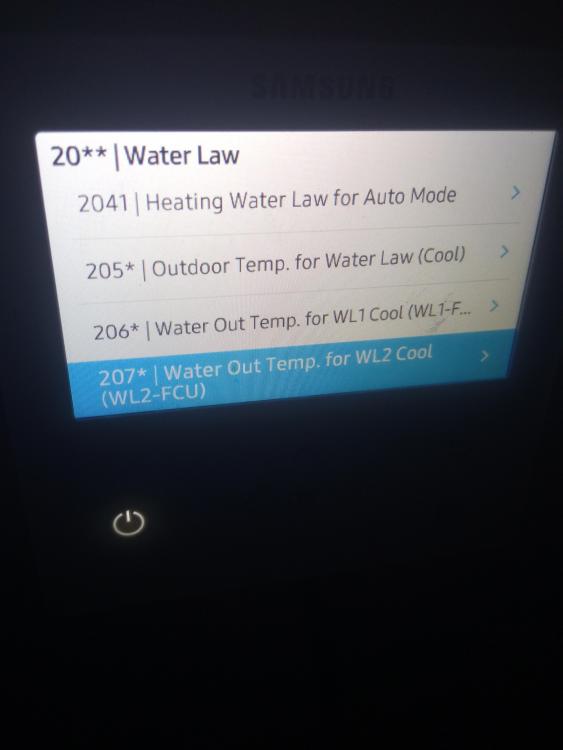
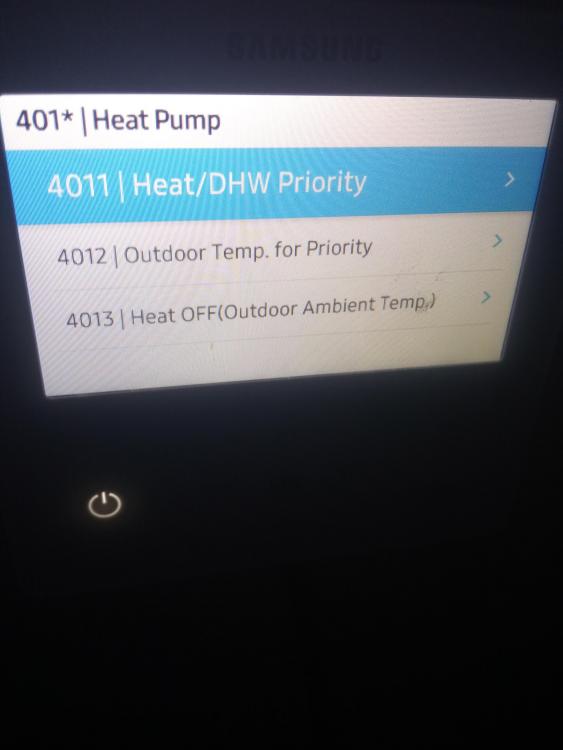
-
Meter Readings Panic and Electricity Costs
canalsiderenovation replied to canalsiderenovation's topic in Electrics - Other
I have the installation menu and there is nothing on there. Alto should be able to talk me through it if nothing else. -
Meter Readings Panic and Electricity Costs
canalsiderenovation replied to canalsiderenovation's topic in Electrics - Other
There is no option to turn off the water law I can see and page 13 only lets me access the basic settings. I can't seem to access the installation menu as Alto must have blocked this. On the plus I spoke to them yesterday and they took the meter readings for the immersion/heat pump and I'll be checking in with them in a week and asking them about adjusting the flow rate and turning off this water law. -
Meter Readings Panic and Electricity Costs
canalsiderenovation replied to canalsiderenovation's topic in Electrics - Other
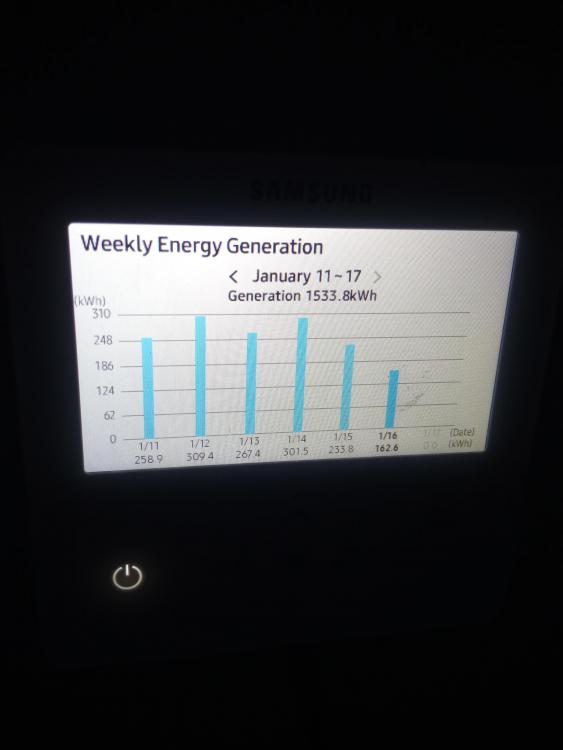
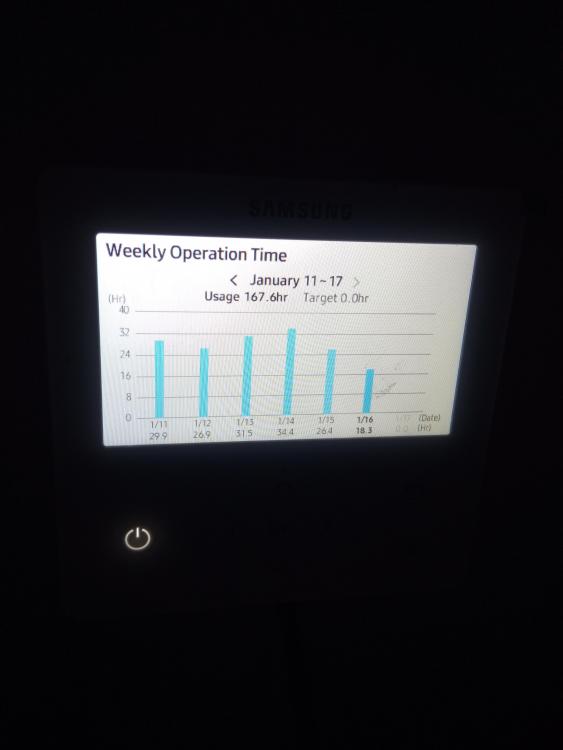
Ok so woke this morning and after changing that setting to -5 this is the screen: I also found the energy setting info: Consumption: Will be interesting to see what happens for the next week now. Operation: Generation: I haven't messed with any other settings yet.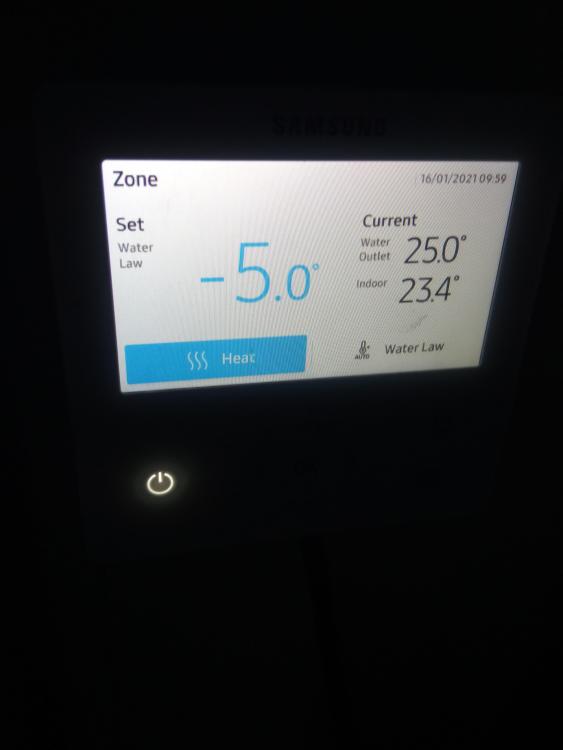
-
Meter Readings Panic and Electricity Costs
canalsiderenovation replied to canalsiderenovation's topic in Electrics - Other
I'm finding it stressful! Thank you everyone for your help. It's kept me occupied all night and distracted and not continually checking my emails for my Covid results.... -
Meter Readings Panic and Electricity Costs
canalsiderenovation replied to canalsiderenovation's topic in Electrics - Other
Could that be because we reduced our thermostats to 19 degrees? I'll set it at -5 thank you. Have to say at 19 degrees it isn't particularly warm now and I can definitely tell the difference! -
Meter Readings Panic and Electricity Costs
canalsiderenovation replied to canalsiderenovation's topic in Electrics - Other
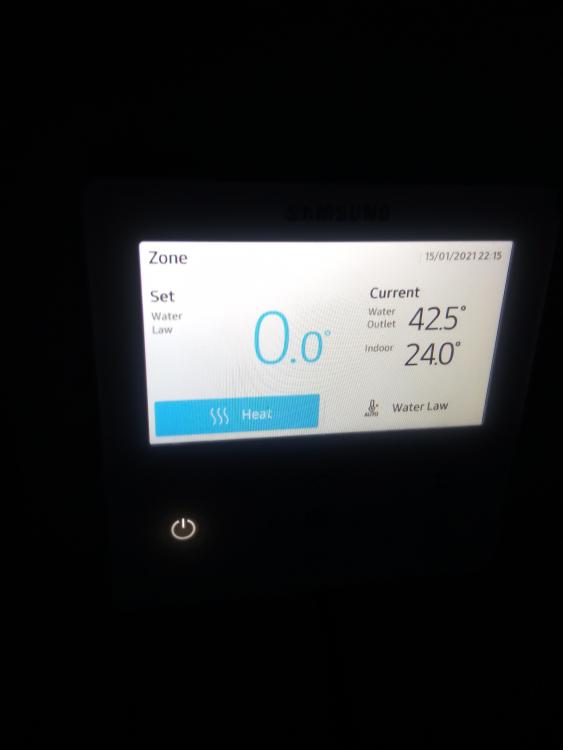
The manual has to be the most poorly user friendly manual. I did some adjusting. So when I went in just now it was zero. I then adjusted the temperature to minus 5 and got this. And you are right it only goes +5 and -5 it won't go any more or below.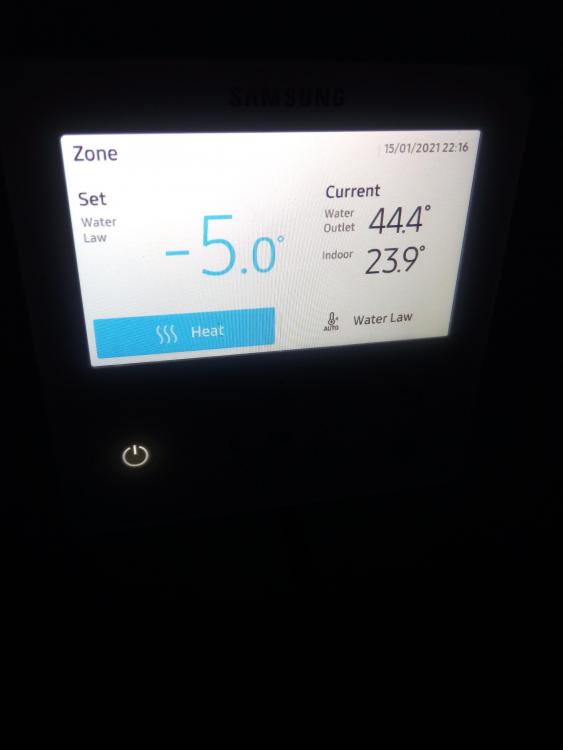
-
Meter Readings Panic and Electricity Costs
canalsiderenovation replied to canalsiderenovation's topic in Electrics - Other
Ok I'll adjust that to 45 and see how that goes now our thermostats are on 19 degrees! Thank you. It's going to be trial and error I think. I then need to look at electricity tarrifs as our fix is up end of Feb. -
Meter Readings Panic and Electricity Costs
canalsiderenovation replied to canalsiderenovation's topic in Electrics - Other
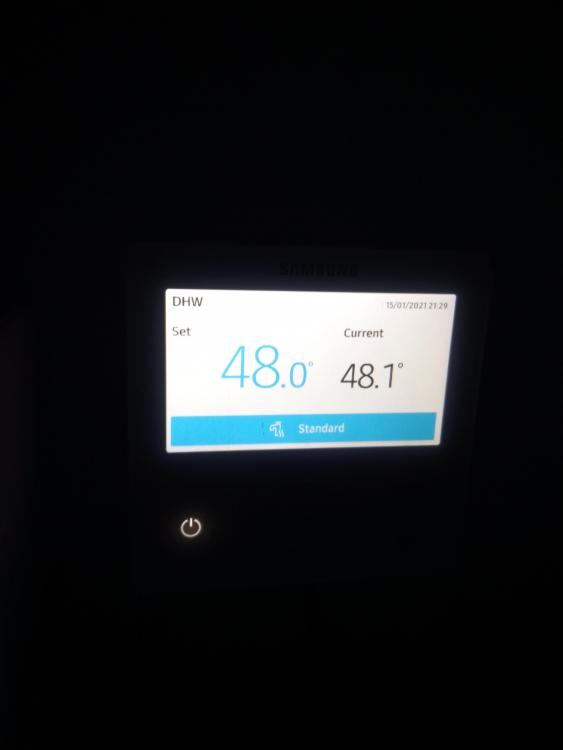
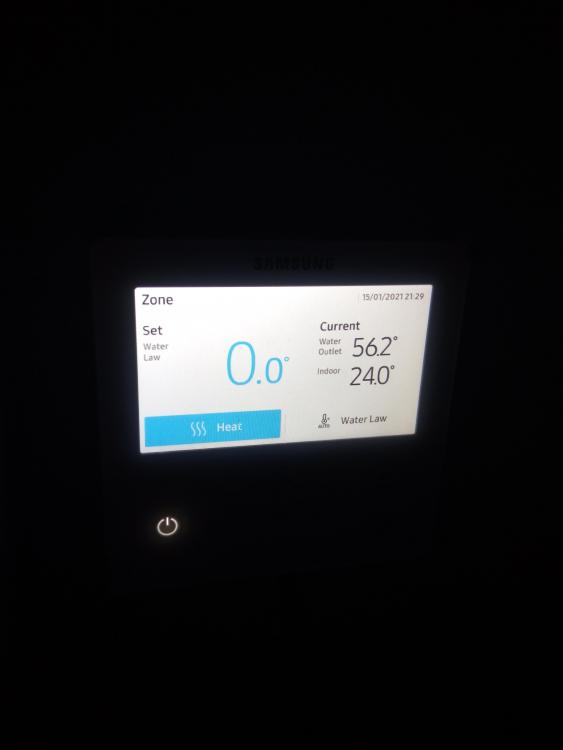
Okey, this is a bit confusing. I can seem to get to the heat menu below. I can then adjust the temperature up or down (to minus figures) but I presume this is 0 as the room stats are controlling this. I've no idea what the temperatures are on the other side - is it those I need to change as I don't seem to be able to do that. Then there is the hot water settings which I presume I don't need to adjust?