Skip to content
View in the app

A better way to browse. Learn more.

BuildHub.org.uk

A full-screen app on your home screen with push notifications, badges and more.

To install this app on iOS and iPadOS
  1. Tap the Share icon in Safari
  2. Scroll the menu and tap Add to Home Screen.
  3. Tap Add in the top-right corner.
To install this app on Android
  1. Tap the 3-dot menu (⋮) in the top-right corner of the browser.
  2. Tap Add to Home screen or Install app.
  3. Confirm by tapping Install.

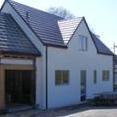
When you are refused planning for an extension and your neighbour has built one without planning permission....

Featured Replies

I suspect it’s a fake situation for the clicks. 

BS, the neighbour just happened to be filming, yeah right.

Looks fake to me. Why would the neighbour film the conversation anyway? 


You don't always need Planning Permission for a side extension.

Bloke… “hi come you were able to get planning permission?

her….we built it under permitted development.

Bloke….. what’s that?

her….building allowed without planning permission 

Bloke….Bugger………

Create an account or sign in to comment

Account

Navigation

Search

Search

Configure browser push notifications

Chrome (Android)
  1. Tap the lock icon next to the address bar.
  2. Tap Permissions → Notifications.
  3. Adjust your preference.
Chrome (Desktop)
  1. Click the padlock icon in the address bar.
  2. Select Site settings.
  3. Find Notifications and adjust your preference.