Skip to content
View in the app

A better way to browse. Learn more.

BuildHub.org.uk

A full-screen app on your home screen with push notifications, badges and more.

To install this app on iOS and iPadOS
  1. Tap the Share icon in Safari
  2. Scroll the menu and tap Add to Home Screen.
  3. Tap Add in the top-right corner.
To install this app on Android
  1. Tap the 3-dot menu (⋮) in the top-right corner of the browser.
  2. Tap Add to Home screen or Install app.
  3. Confirm by tapping Install.
  • Entries

    2
  • Comments

    15
  • Views

    4525

About this blog

After spending 50 years always being right, I have finally come to realise that in each project I in fact failed my way to success. This is also true in my Rainwater Harvesting DIY project. The last fails with this were due to my inexperience in soldering wires.


I hope to set out some basic considerations when considering Rainwater use and share my system details.


Entries in this blog

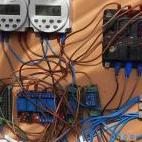
We use 4 phases from rainwater to flushing the loo with it and they are:   Collecting, separating and storing in bulk tank. Fine filtering and storing in barrel. filling the gravity tank in the loft Filling the cistern   This is not the only system that is possible but one that works with our property limitations. This design and its controls take into account freezing conditions. We use two 12V pumps run from batteries and PV.  
This info relates to a DIY rainwater harvesting system, not a commercial system, and therefore the water must not be drunk!     You should be careful using rainwater not to mix it with mains (Potable) Water as it is not suitable to drink and you could poison your house supply! To be clear birds poo on your roof and then it rains.  However there are ways to elevate the problem in a DIY system so there is no smell or colour problems but it still cannot be drunk!    You should n

Account

Navigation

Search

Search

Configure browser push notifications

Chrome (Android)
  1. Tap the lock icon next to the address bar.
  2. Tap Permissions → Notifications.
  3. Adjust your preference.
Chrome (Desktop)
  1. Click the padlock icon in the address bar.
  2. Select Site settings.
  3. Find Notifications and adjust your preference.