Skip to content
View in the app

A better way to browse. Learn more.

BuildHub.org.uk

A full-screen app on your home screen with push notifications, badges and more.

To install this app on iOS and iPadOS
  1. Tap the Share icon in Safari
  2. Scroll the menu and tap Add to Home Screen.
  3. Tap Add in the top-right corner.
To install this app on Android
  1. Tap the 3-dot menu (⋮) in the top-right corner of the browser.
  2. Tap Add to Home screen or Install app.
  3. Confirm by tapping Install.

Another post on my blog

Featured Replies

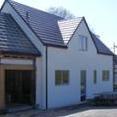
Just a quick note to say I have just put an "end of year" post on my blog at the usual address http://www.willowburn.net Look for the entry "Finishing up the year"


Nothing much, just the box profile roofing that has already been discussed here and some other finishing up bits and pieces, and a few new photo's


That is the outside of the house just about finished, as far as it's going for some time anyway.


I have also spent some time the last couple of days taking advantage if this short mild spell, to tidy up the plot somewhat. I have bagged up the remaining pile of sand in three one ton builders bags and stuff like that, but that's far too boring to be taking photographs of.




 

Create an account or sign in to comment

Account

Navigation

Search

Search

Configure browser push notifications

Chrome (Android)
  1. Tap the lock icon next to the address bar.
  2. Tap Permissions → Notifications.
  3. Adjust your preference.
Chrome (Desktop)
  1. Click the padlock icon in the address bar.
  2. Select Site settings.
  3. Find Notifications and adjust your preference.